E3 - Repair/Replace Charger and Endstop
There are no serviceable parts in the C800/C1000 charger. Use
extreme caution when performing internal servicing on the lift. Ensure
that the charger has been disconnected from the power supply before
starting.
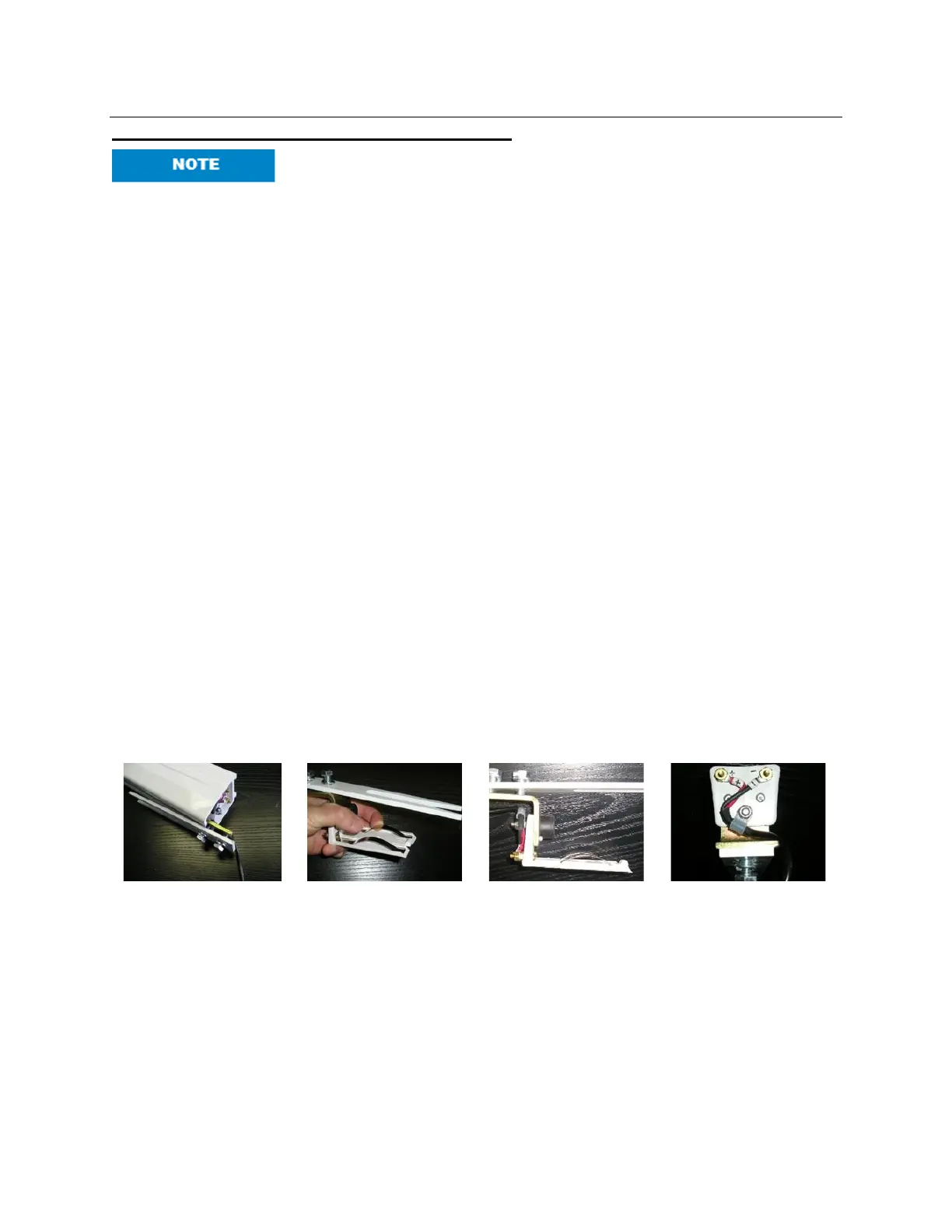
Repair Charger Endstop
1. The C800/C1000 charger Endstop consists of the Endstop components and the
charging spring clips. If it has been determined that the lift is no longer charging because
there is poor contact with the charge strips, an adjustment can be made.
2. Remove the charger Endstop from the track.
3. While holding the Endstop gently pull up on the charge strips and bend to desired
tension.
4. If too much tension is generated, the lift will not be able to be driven out of the charger
Endstop. Adjust the tension so that lift can be driven in and out of the charger Endstop.
5. With the manual traverse C800/C1000, there is a tendency to pull the lift into the charger
Endstop at an angle. This can cause one of the charger strips to lose tension. Please
explain to client that the lift should be placed on the charger gently.
Replace Charger Endstop
1. Should the charger strips bend and snap, a new charger Endstop needs to be installed.
Remove the old Endstop and disconnect the charger wires.
2. Reconnect the charger wires to the new Endstop. Match the RED wire to the POSITIVE
marker and the BLACK wire to the NEGATIVE marker on the charger Endstop. The
polarity of the RED and BLACK wires is critical.
3. Replace the Endstop and tighten bolts. Adjust tension as above.



 To Next Page