Operational Guide
54
PREPARATION
Pour a small quantity of the calibration solution into a beaker. If possible, use
a plastic beaker to minimize any EMC interferences.
Before pressing CAL verify in SETUP:
• Basic mode is o
• Salinity Scale is NaCl%
Use the RANGE key to select the Salinity measurement. The NaCl% tag will
be on. NaCl calibration is a single point calibration at 100.0% NaCl. Use the
HI 7037L calibration solution (sea water solution) as a 100% NaCl calibration
solution.
Procedure
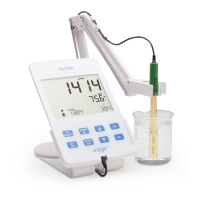
Rinse the probe with some of the HI 7037L calibration solution or deionized
water. Shake o excess solution. Submerse the probe in the calibration
solution. The sleeve holes must be completely submersed. If possible, center
the probe in the beaker away from the bottom or beaker walls. Raise and
lower the probe to rell the center cavity and tap the probe repeatedly to
remove any air bubbles that may be trapped inside the sleeve.
Press CAL to enter calibration. The ” “, ”STIR” and
“CAL” tags will turn on and the 1st LCD line will
display the percent NaCl reading, the 2nd LCD line
will display the temperature and the 3rd LCD line will
display ”WAIT” message until the reading is stable.
When the reading is stable and close to the standard,
“CFM” tag will blink and “SOLUTION STANDARD” will
scroll.
Press CFM to conrm calibration.
% NaCl
CALIBRATION






 To Next Page