Operational Guide
60
The RANGE key will change measurement from conductivity to TDS to Salinity.
Conductivity Measurements
Connect the conductivity probe to the instrument
and wait until probe parameters are loaded. The
following message is then displayed on the LCD:
“Probe Connected”
Verify if the probe has been calibrated. Suspend the probe into the solution
to be tested. The sleeve holes must be completely submersed. Tap the probe
repeatedly to remove any air bubbles that may be trapped inside the sleeve.
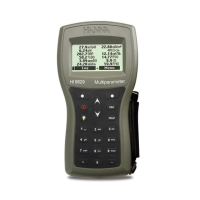
The conductivity value will be displayed on the 1st
LCD line, the temperature on the 2nd LCD line and
calibration or range specic information on the 3rd
LCD line.
To toggle between information displayed on the 3rd LCD line, use the ARROW
keys.
If the reading is out of range when the range is
automatic, the full-scale value (200.0 mS/cm for ATC
mode or 500.0 mS/cm for absolute conductivity) will
be displayed blinking.
Temperature-compensated and absolute conductivity are available for
measurement. This is selected in the SETUP conguration.
Automatic (ATC): The conductivity probe has a built-in temperature sensor;
the temperature value is used to automatically compensate the EC/TDS
reading. When this option is selected, “ATC” tag is displayed. A temperature
coecient for the sample must also be set.
EC/TDS
Measurements






 To Next Page