-CS -34
5-9
PREPARATION OF PATTERN DATA
5_9 D610
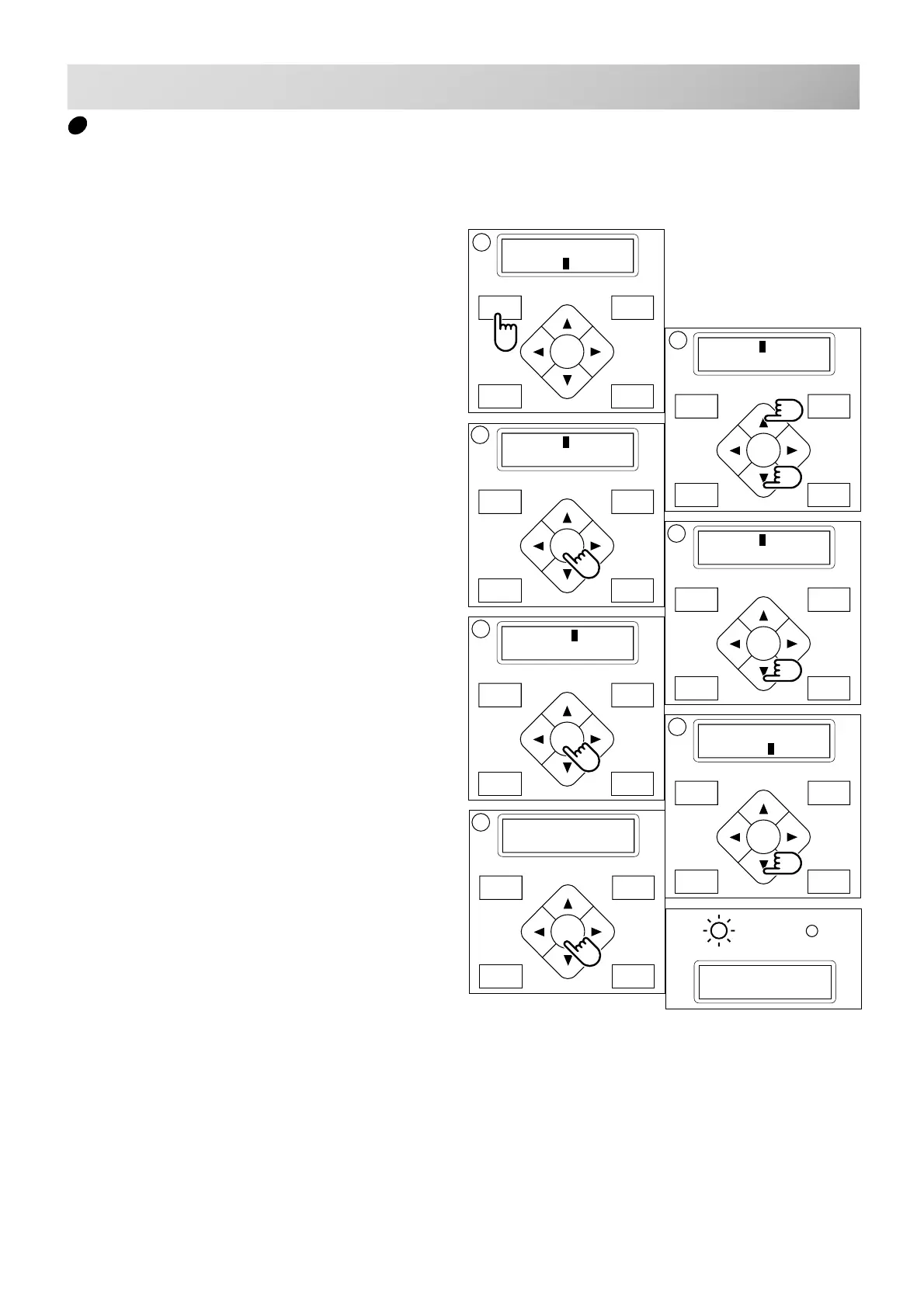
1. Press "MENU" button until [MENU] is show-
ing while the machine is stopped.
2. Press the "Up” or “Down” arrow button until
the cursor points to "Pattern".
3. Press the "ENT." button.
To “Select” or “Erase” the design.
4. Press the “Down” arrow until the cursor
points to "All clr".
5. Press the "ENT." button when showing
[CLEAR].
6. Press the “Down” arrow button until the
cursor points to "OK".
7. Press the "ENT." button.
You will then return to drive mode.
Push the “Up” arrow button and then push
the "ENT." button to cancel.
Returns to Drive mode after cancelation of
design delete.
Nd:14
HAPPY
FORWARD
P.FOOT T.CUT
MENU
ENT.
[MENU] Pattern
Needle
FORWARD
P.FOOT T.CUT
MENU
ENT.
[MENU] Pattern
Needle
2
FORWARD
P.FOOT T.CUT
MENU
ENT.
[CLEAR] Cancel
OK
FORWARD
P.FOOT T.CUT
MENU
ENT.
-- Complete --
6
FORWARD
P.FOOT T.CUT
MENU
ENT.
[CLEAR] Cancel
OK
7
FORWARD
P.FOOT T.CUT
MENU
ENT.
[PAT.] Select
Erase
3
FORWARD
P.FOOT T.CUT
MENU
ENT.
[PAT.] All clr
4
5
G
Erase all designs
This is to erase all designs from the machine memory.



 To Next Page