-CS -16
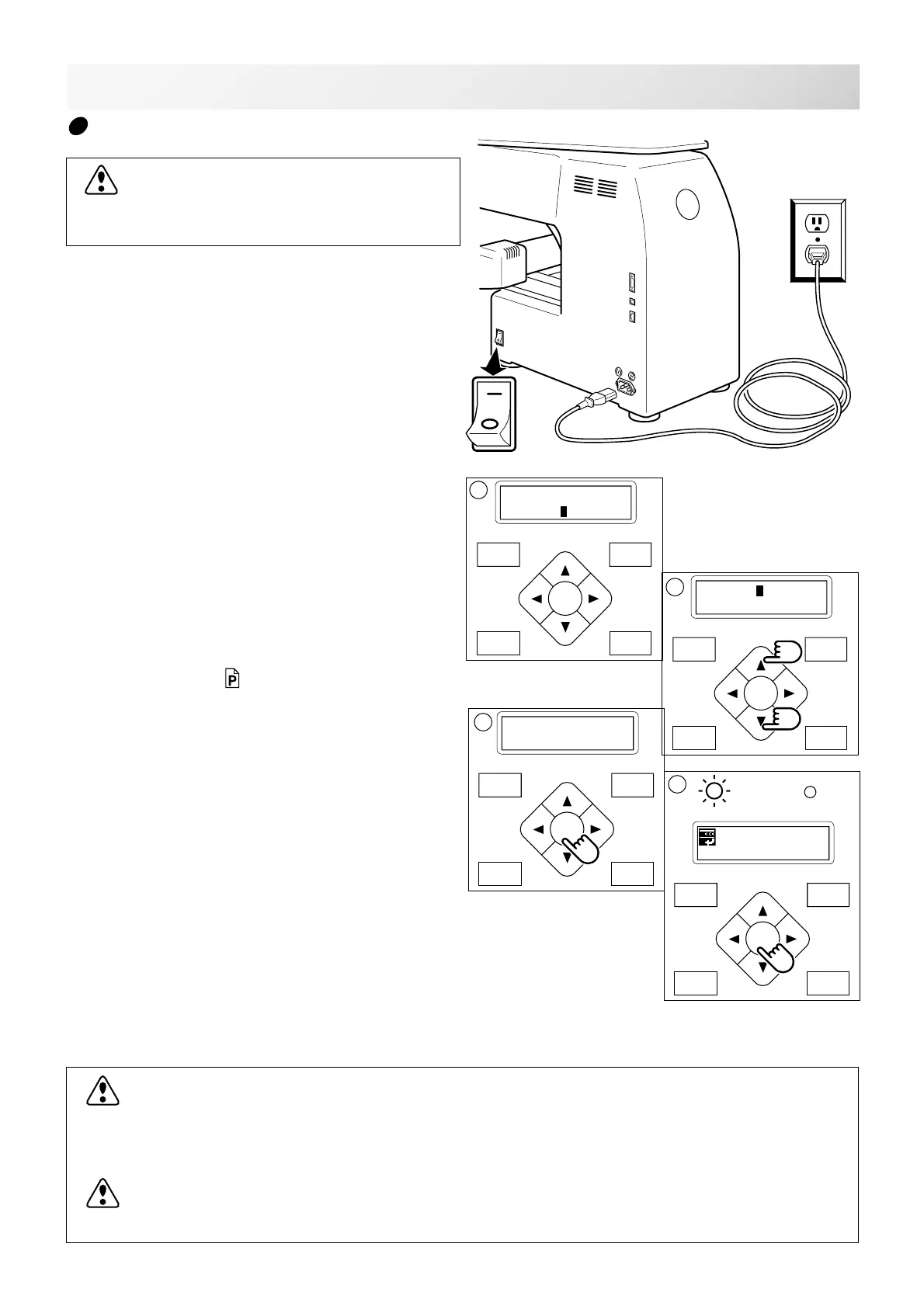
LET'S TURN ON THE MACHINE
1. Please connect power line cord to inlet on
right side of the machine.
2. Connect the power line plug to the electric
outlet.
3. Turn on the power switch.
Push the power switch firmly so it will remain on.
4. Press the “Up” or “Down” Arrow button until
the cursor points to "Tubular".
Please select "Other", only when you use special
shape frames. 3-5b
5. Press the "ENT.” button.
6. Press the "ENT.” button.
The embroidery frame will return to the previous
position automatically.
To disconnect, switch the power switch to the
off position, then remove plug from outlet.
DANGER: To reduce the risk of electric shock.
Never leave the machine unattended when plugged in.
Always unplug this machine from the electric outlet immediately after using and before main-
tenance.
WARNING: To reduce the risk of burns, fire, electric shock, or injury to persons.
Do not unplug by pulling on cord. To unplug, grasp the plug, not the cord.
3_5 K101
3-5
CAUTION: To prevent accidents.
The embroidery frame and carriage will move.
Please remove your hand for your safety.
How to turn on the machine
ON
OFF
FORW ARD
P.FOOT T.CUT
MENU
ENT.
FORW ARD
P.FOOT T.CUT
MENU
ENT.
Caution !!
Frame Moves
3
ID:10 Nd: 4
BIRD
G
4
FORW ARD
P.FOOT T.CUT
MENU
ENT.
[Frame] Tubular
Other
5
FORW ARD
P.FOOT T.CUT
MENU
ENT.
[Frame] Tubular
Other
6



 To Next Page