-CS -70
START STOP
+
-
9-2
SEWING
9_2 D610
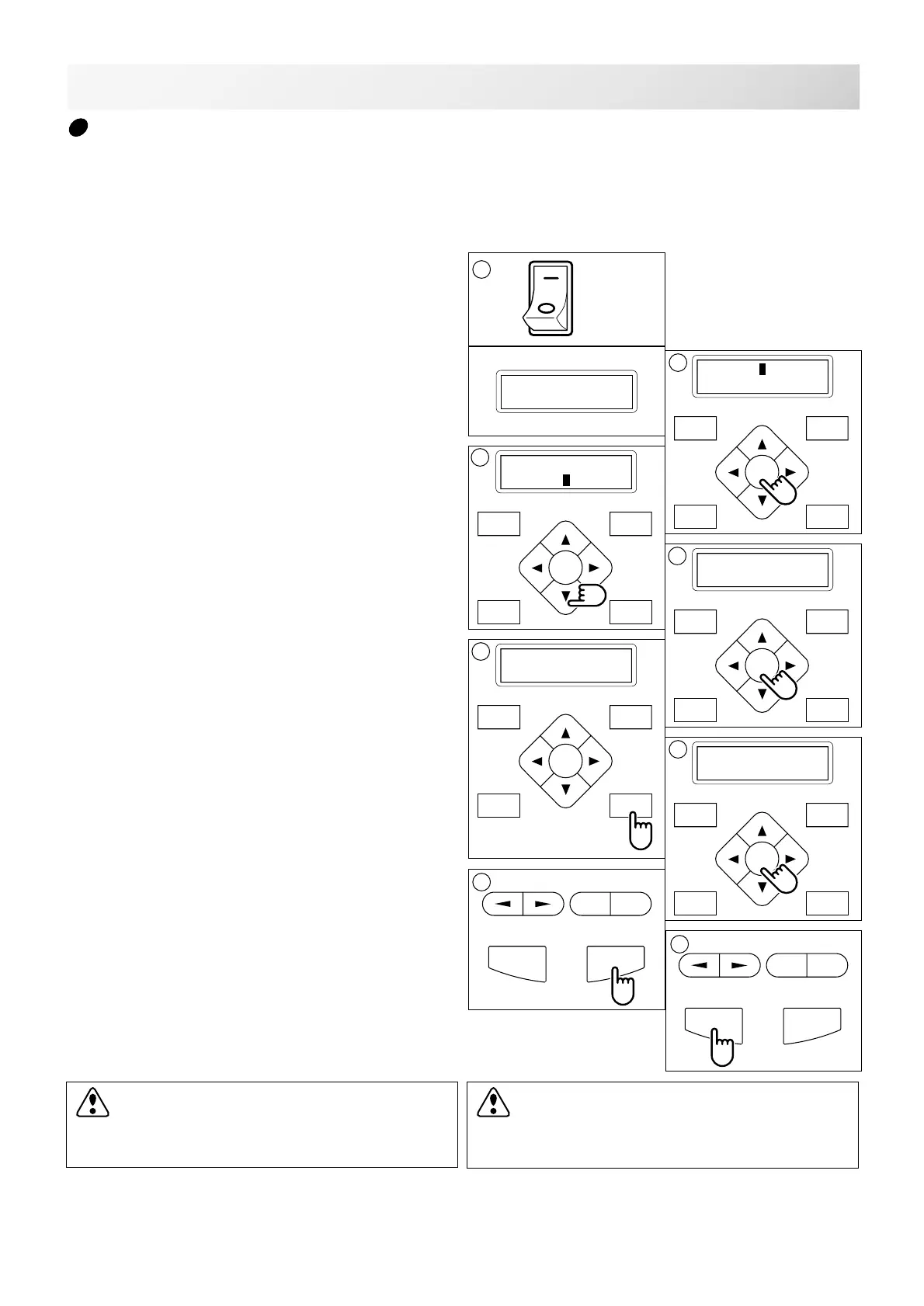
Loss of power while embroidering
If you had a power failure while embroidering, follow these instructions and you can restore the
position of the frame and pattern data its state before the power failure.
CAUTION: To prevent accidents.
When performing a thread trim, be careful of
the needle which will enter the fabric.
P.FOOT T.CUT
MENU
FORW ARD
ENT.
P.FOOT T.CUT
MENU
FORW ARD
ENT.
P.FOOT T.CUT
MENU
FORW ARD
ENT.
P.FOOT T.CUT
MENU
FORW ARD
ENT.
P.FOOT T.CUT
MENU
FORW ARD
ENT.
error E-050
C point
[ERR] Manual
Auto
2
Caution !!
Frame moves
6
Caution !!
Frame moves
[ERR] Manual
Auto
3
Caution !! main
shaft turns
4
5
ON
OFF
1. Turn on the power switch.
2. Press the "ENT." button.
3. Press the “Down” arrow button until the
cursor points to "Auto" (Automatic restore).
4. Press the "ENT." button.
The main shaft will make one rotation and stop at
the "C" point (proper stop position).
5. Press the "Thread trim” button.
The needle will go down and trim the thread.
6. Press the "ENT." button.
The carriage and frame move to the front and
right side automatically and then return to the
original point.
7. Back up several stitches from the stopped
point by pressing the stop button 3-4 times.
8. Start sewing again by pressing the "START"
button.
8
CAUTION: To prevent accidents.
The frame moves quickly.
Keep your hands away from the frame.



 To Next Page