-CS -52
7-7
CAP FRAME (OPTION)
7_7 FA27
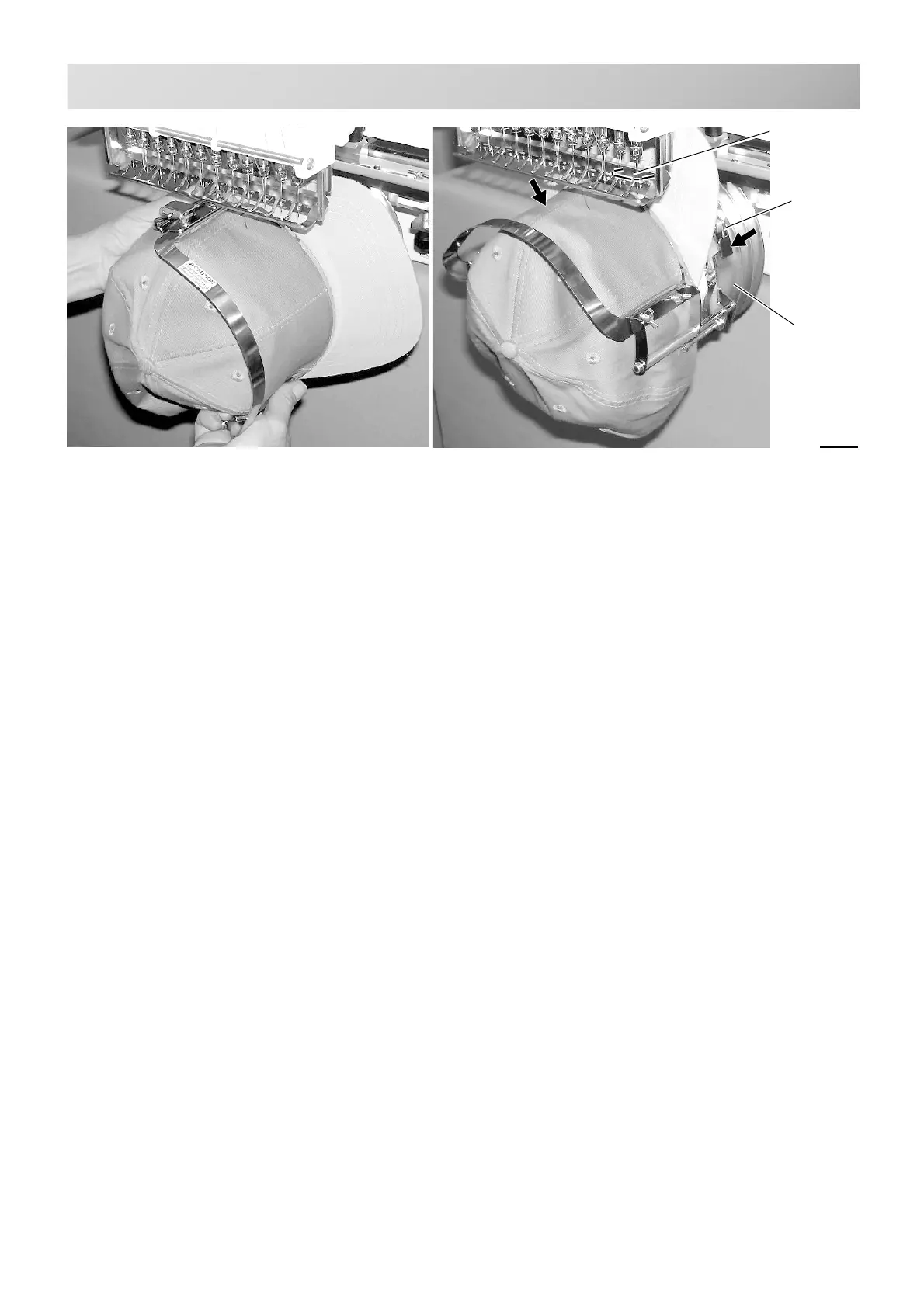
Fig. 8
7. Remove the cap frame from the cap
stretcher.
8. As shown in Fig. 8, place the cap frame on
cap the drive frame.
You will have to rotate the brim of the hat to
the side in order to get past the needle
case.
Then, push the holder lever in the 2 places
shown, and place the cap frame on so that
the center guide of the drive frame assembly
fits into the cap frame notch.
Confirm that the frame is firmly seated on the cap
drive frame assembly without any gaps.
If there is a gap between the cap frame or the
cap drive holding lever doesn't go into the hole of
the cap frame, loosen the set screw on the hold
lever for adjustment.
Cap drive
frame
Hold lever
Center guide



 To Next Page