38
X2D 100C
User Manual
CONTENTS
Locked Parameters on Control Screen
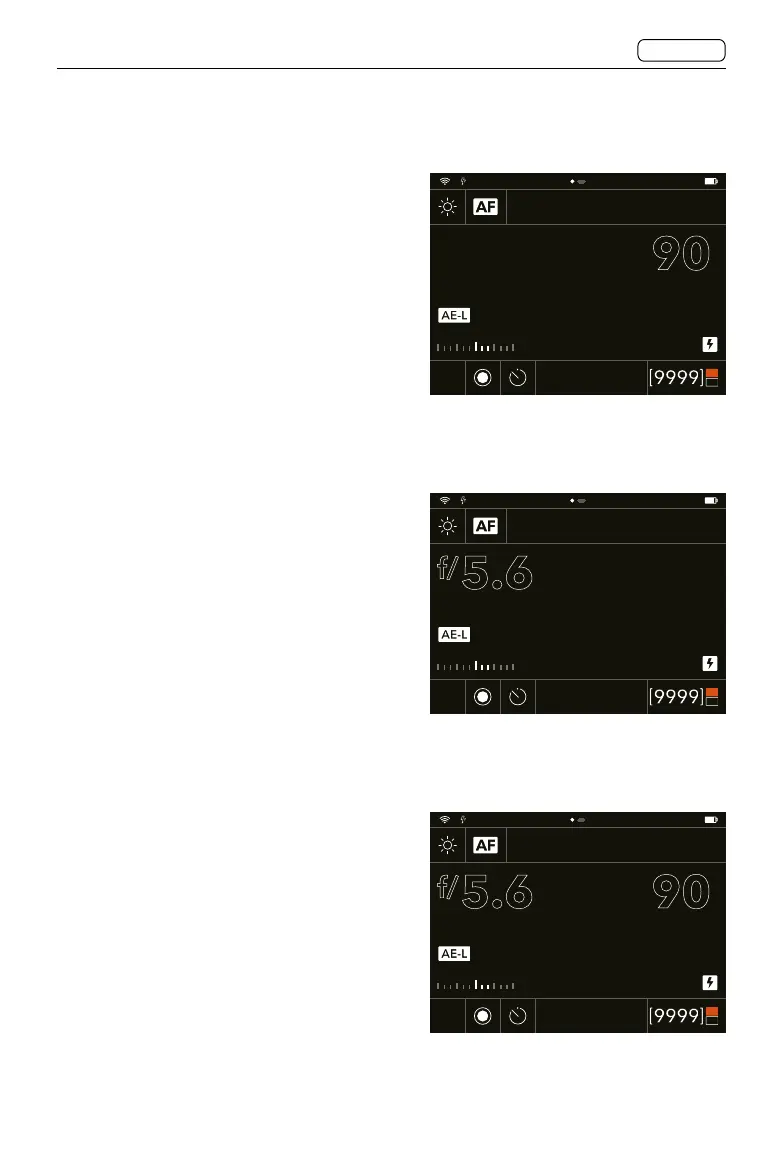
A Mode
In Aperture Priority (A), users can change
the aperture value and the shutter speed
value will be automatic and displayed in
grey.
S Mode
In Shutter Priority (S), users can change the
shutter speed value and the aperture value
will be automatic and displayed in grey.
P Mode
In P Mode, the aperture and shutter speed
are automatic and displayed in grey
indicating that users cannot change these
settings. Use the front scroll wheel to shift
aperture and shutter speed combination
and rear scroll wheel to add an exposure
adjustment.
A Mode
Shutter speed is automatic.
S Mode
Aperture is automatic.
P Mode
Aperture and shutter speed are automatic.
200
5.6 90
f/
EV
+1.512.0
+0.7
CFe
SSD
ISO
200
5.6 90
f/
EV
+1.512.0
+0.7
CFe
SSD
ISO
80%
200
5.6
f/
EV
+1.512.0
+0.7
CFe
SSD
ISO
90















 To Next Page