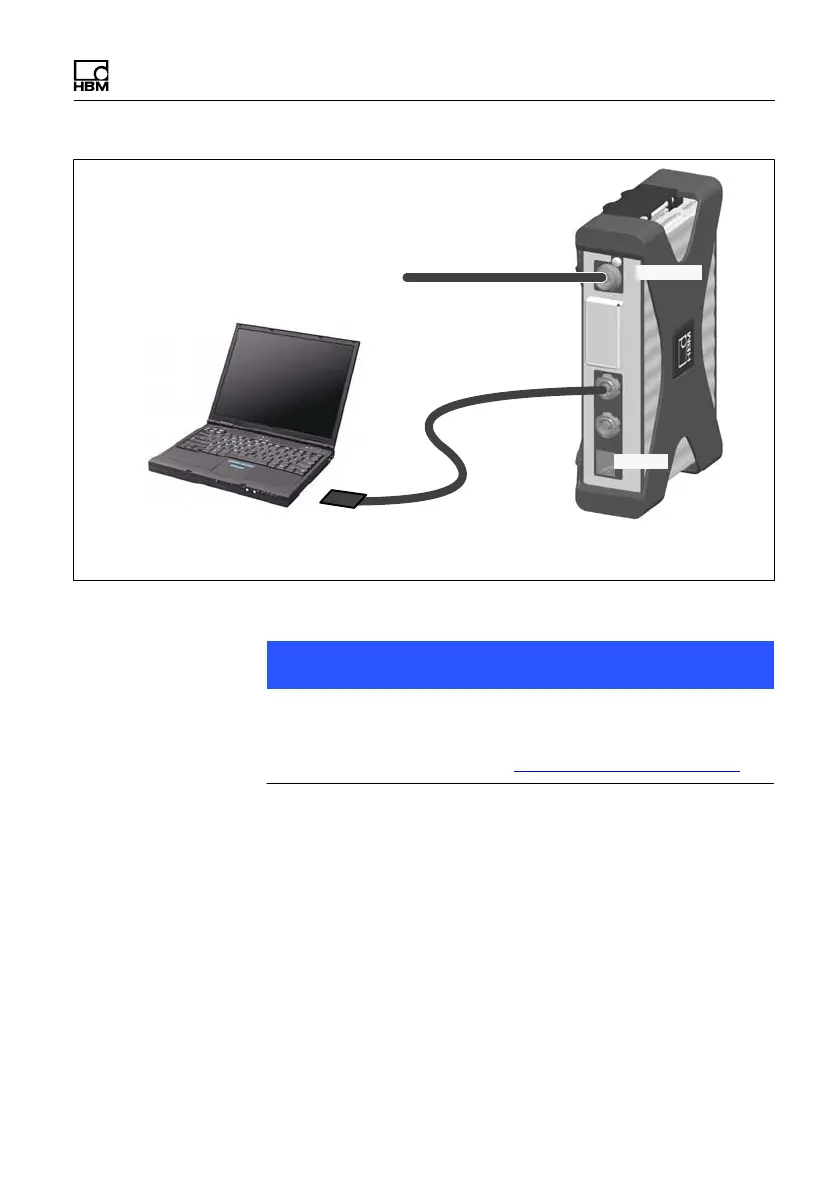
Connecting individual QuantumX modules
Quantum
X
I3031-14.0 HBM: public 75
10 V ... 30 V DC
1-NTX001 or 1-KAB271-3
1-KAB293-5
Adapter
PC: PCI or PCI express card
Notebook: PC CARD / ExpressCard3/4
X102
X104
Fig. 7.6 Single FireWire connection
Notice
Please check in advance whether a firmware or software
update is required. Software/firmware downloads can be
found on the HBM website: www.hbm.comdownloads
7.2.7 Setting up FireWire 1394b on the PC
S Integrate the FireWire PC adapter into your computer.
S Start the Wizard provided by HBM to install the
PCFireWire driver. The Wizard is part of the Quan
tumX system software package or catman.
But you can also install the Wizard manually from the



 To Next Page