2 Setting up a system
30 A04089_07_E00_02 HBM: public MX Modules
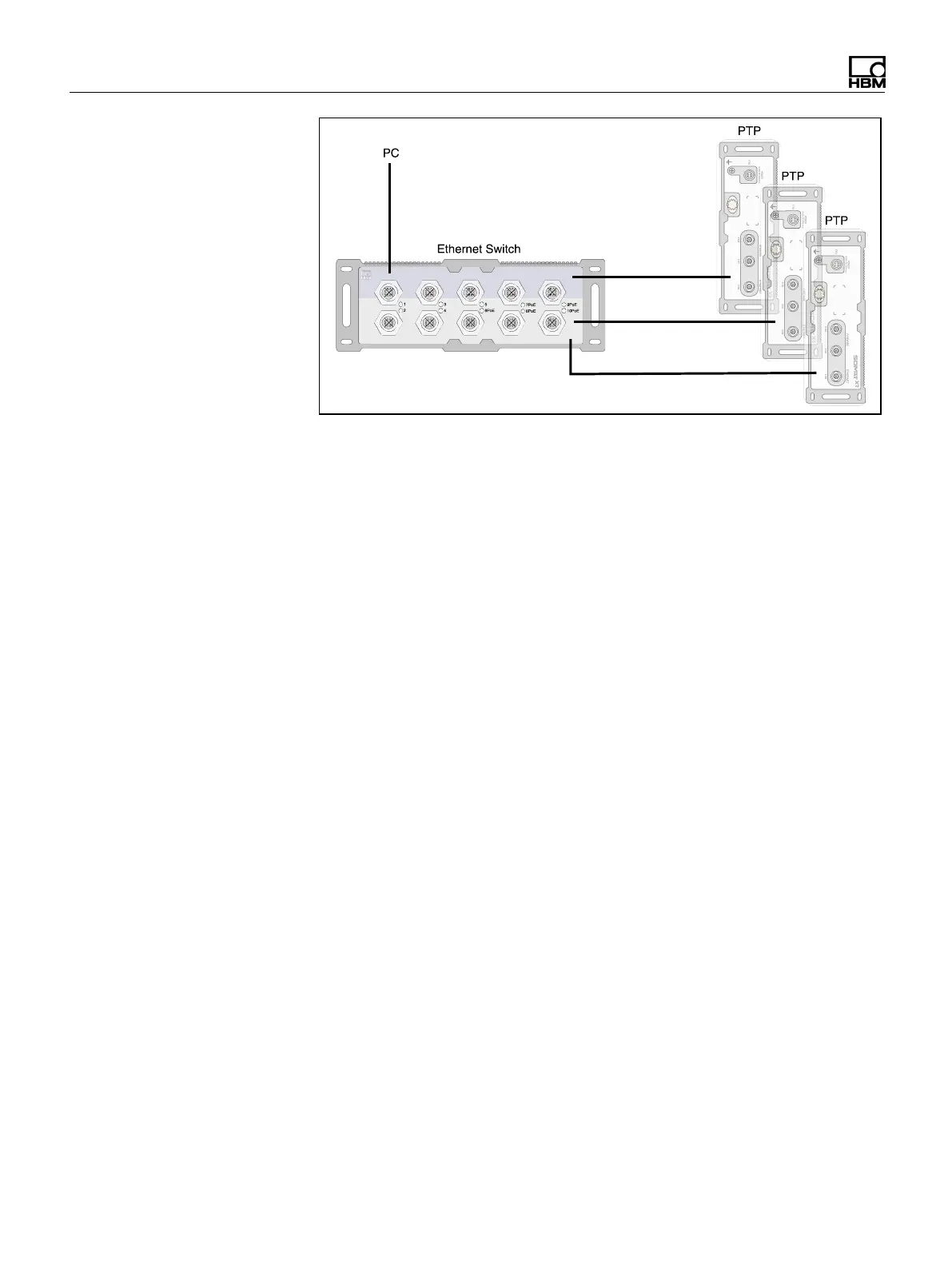
To activate PTP synchronization, the time settings of all modules need to be
changed to PTP (via MX Assistant or catman).
The master clock in a network is selected automatically according to a master clock
algorithm. This allows as well the use of an external grandmaster clock as it will
automatically be selected as master. When no grandmaster clock is available a
module will be selected as master.
To avoid destroying the synchronization quality in heavy loaded networks, it is
recommended that special PTP switches be used. The switches should support
transparent clock with either E2E (end-to-end) or P2P (peer-to-peer) to compensate
for the delay in the network. The transport protocol can be IPv4 or IPv6.
Synchronization via Ethernet NTP
Each SomatXR module can synchronize its internal clock with an external NTP
server. To activate NTP synchronization, the time settings of one or more modules
need to be changed to NTP (via MX Assistant or catman). The NTP time is
distributed to the other modules using multiple Ethernet connection through an
Ethernet switch or via FireWire. Modules located close together should be
synchronized via FireWire if available.
It is possible to achieve accuracies of 1 ms or higher depending on the utilization of
the network and whether a dedicated NTPmaster is being used.
An NTP software package is included in the HBM software catman®EASY to run an
NTP master on the PC.


 To Next Page