QuickStart Guide REX 200/250 | Version 5 | 26.05.2021 11
5 Initial router-configuration via the myREX24 V2 portal
The following information describes the basic configuration steps required to set up a REX router for a
VPN connection. A description of the extended functions can be found in the online help or in the man-
uals/white papers.
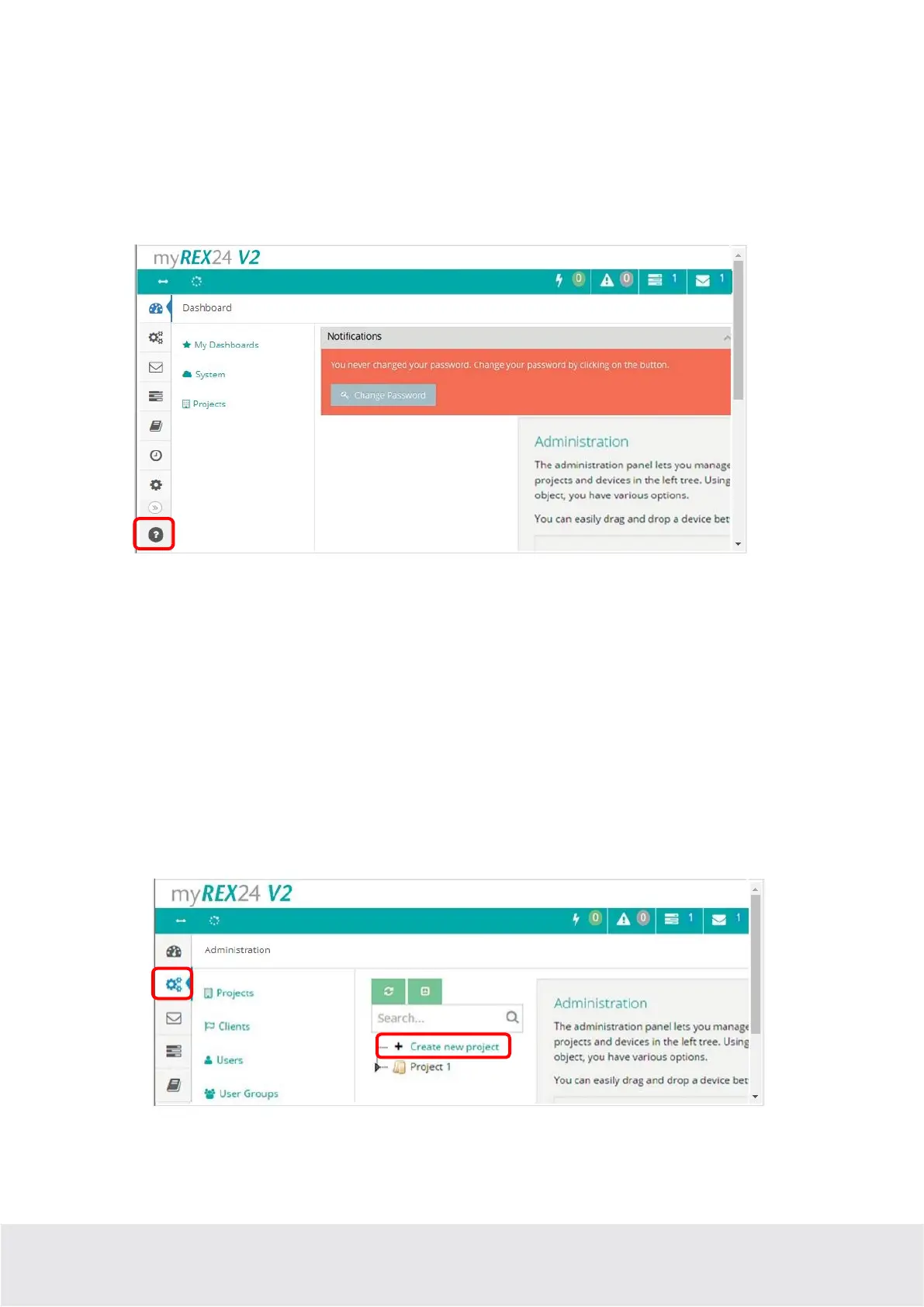
You can go to the online help in the myREX24 V2 portal using the question mark symbol in the lower
left-hand area of the screen.
When you log in for the first time, the myREX24 portal guides you through a brief tutorial. It is recom-
mended to re-issue the password for your myREX24 account once in accordance with the tutorial.
5.1 Creating a new project
A project is the highest level for carrying out the following tasks:
- - Device administration
- - Remote maintenance
- - Monitoring and alarms
- - Data logging
- - Visualizations
Initially, at least one new project must be created in which a router is assigned. Navigate to the Admin-
istration section by using the marked symbol (the tutorial also brings you to this point).



 To Next Page