QuickStart Guide REX 200/250 | Version 5 | 26.05.2021 14
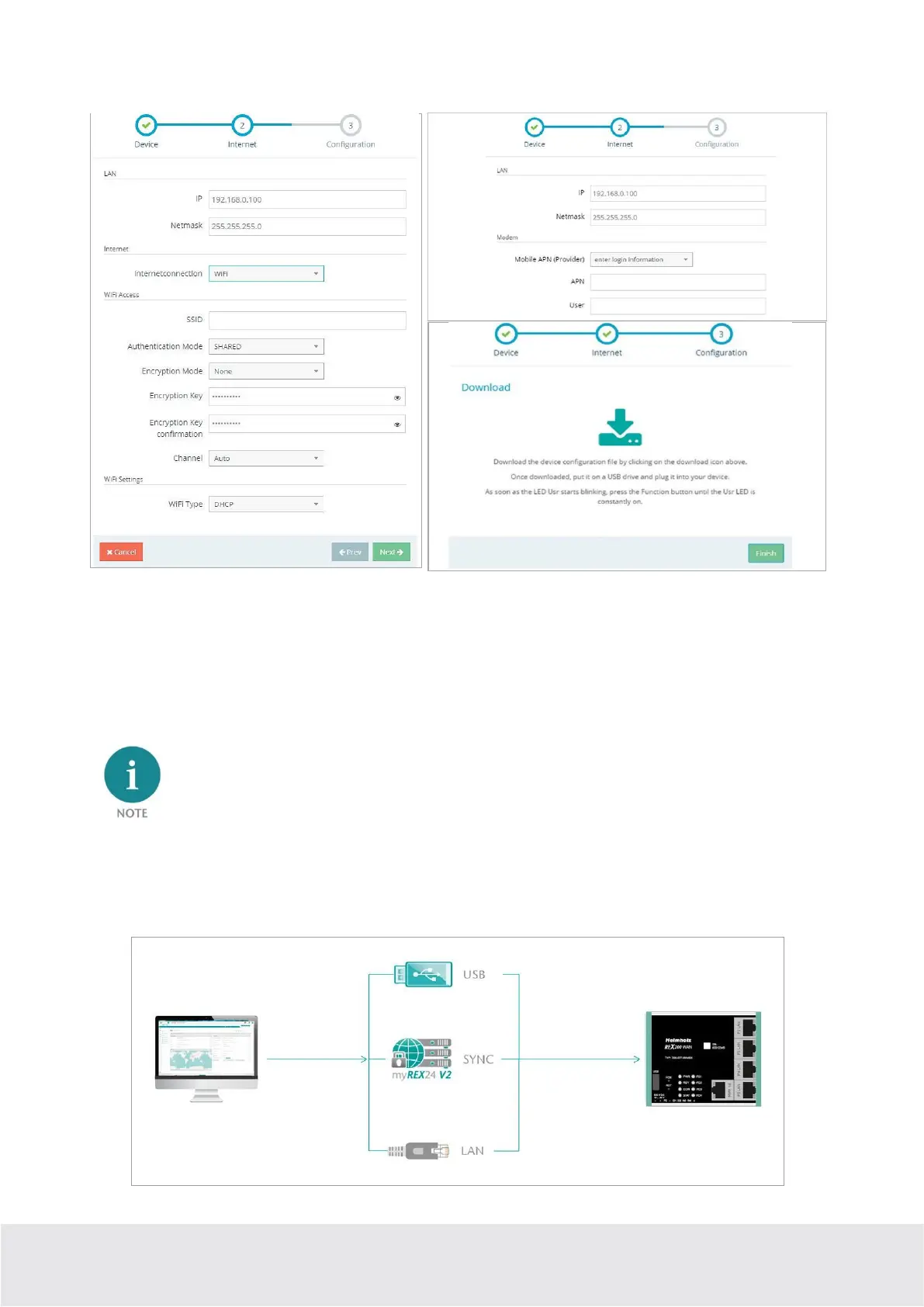
Examples: LAN network settings, WLAN or APN access data and download
5.6 Step 3 „Configuration “– Download file to PC
In step 3, the basic settings of a minimum configuration for the REX 100 are now stored in your portal
account and must now be transferred to the device. By clicking on the download button (here marked in
red), the configuration file is downloaded from the portal server and can then be transferred to the REX
router using a FAT-formatted USB stick.
We recommend the “Download configuration to PC” variant for the initial configuration.
6 Router-configuration transfer options
Newly created or subsequently modified device configurations can be transferred to the REX 200/250 in a
variety of ways.



 To Next Page