QuickStart Guide REX 200/250 | Version 5 | 26.05.2021 25
Following acceptance of the settings, it is possible to access devices on the MPI/PROFIBUS interface of the
REX 250. Selection takes place via
“Set PG/PC interface”
in the programming software.
11 Setting up the VCOM LAN for serial communication (REX 250 only)
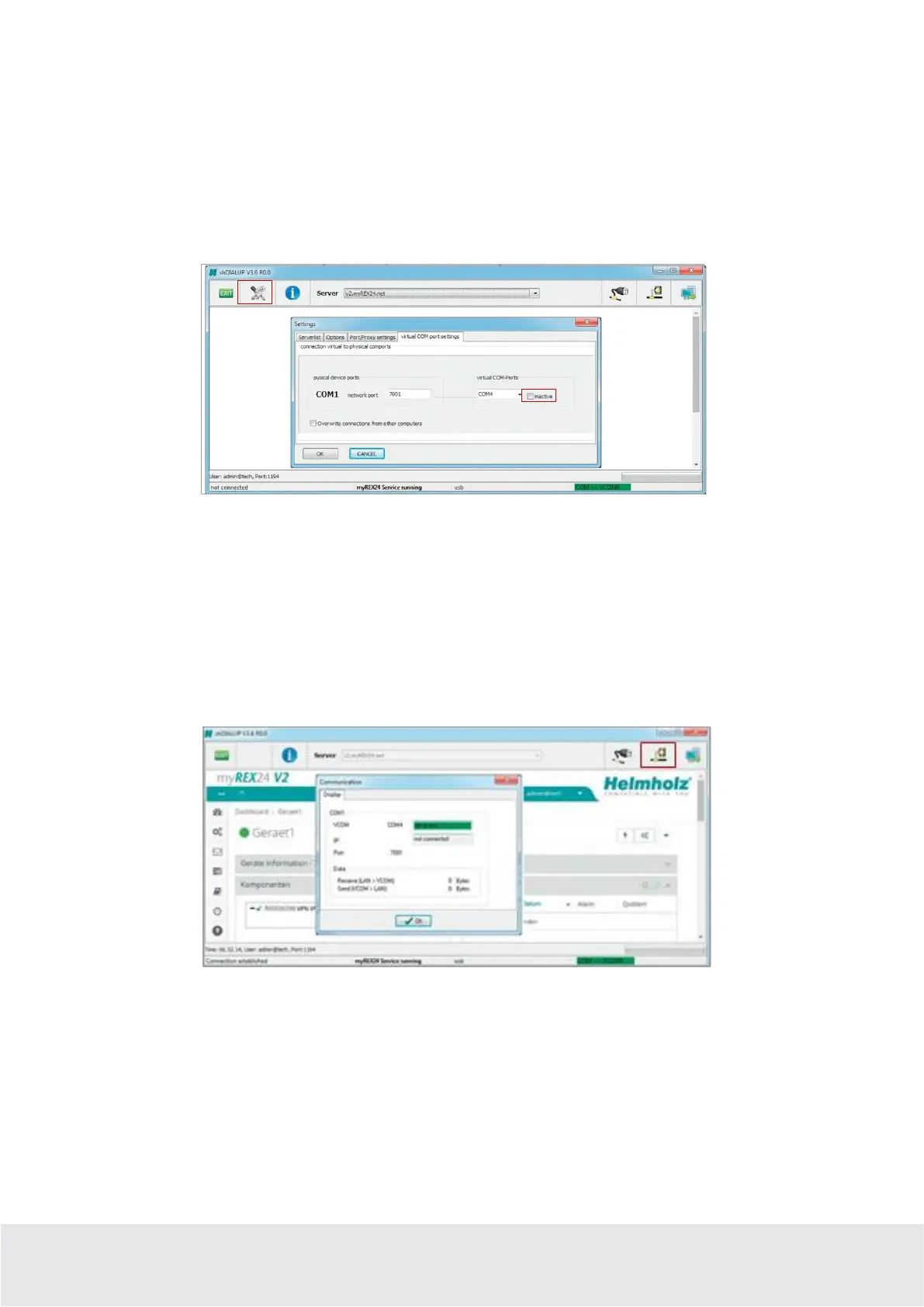
To be able to use a remote connection to access serial participants, start shDIALUP and activate the corre-
sponding settings for the virtual COM port on your PC. To do this, click the corresponding tool button
before logging in.
Deactivate the “Inactive” check box on the “Virtual COM Port Settings” tab. The system will automati-
cally suggest a network port and the COM port to be used, neither of which need to be changed. Close
the window by clicking “OK”. You can then use your access data to log in to the portal server and estab-
lish a connection to an REX 250 which has already been configured.
You can receive further information by activating the VCOM LAN status button.
In this example, the COM4 connection is now also available in the system in addition to the standard
remote maintenance connection.
The possibility for serial communication is still indicated in the task bar by a green symbol (an active
connection with a yellow symbol).



 To Next Page