QuickStart Guide REX 200/250 | Version 5 | 26.05.2021 20
8.2 VPN port and China Gateway
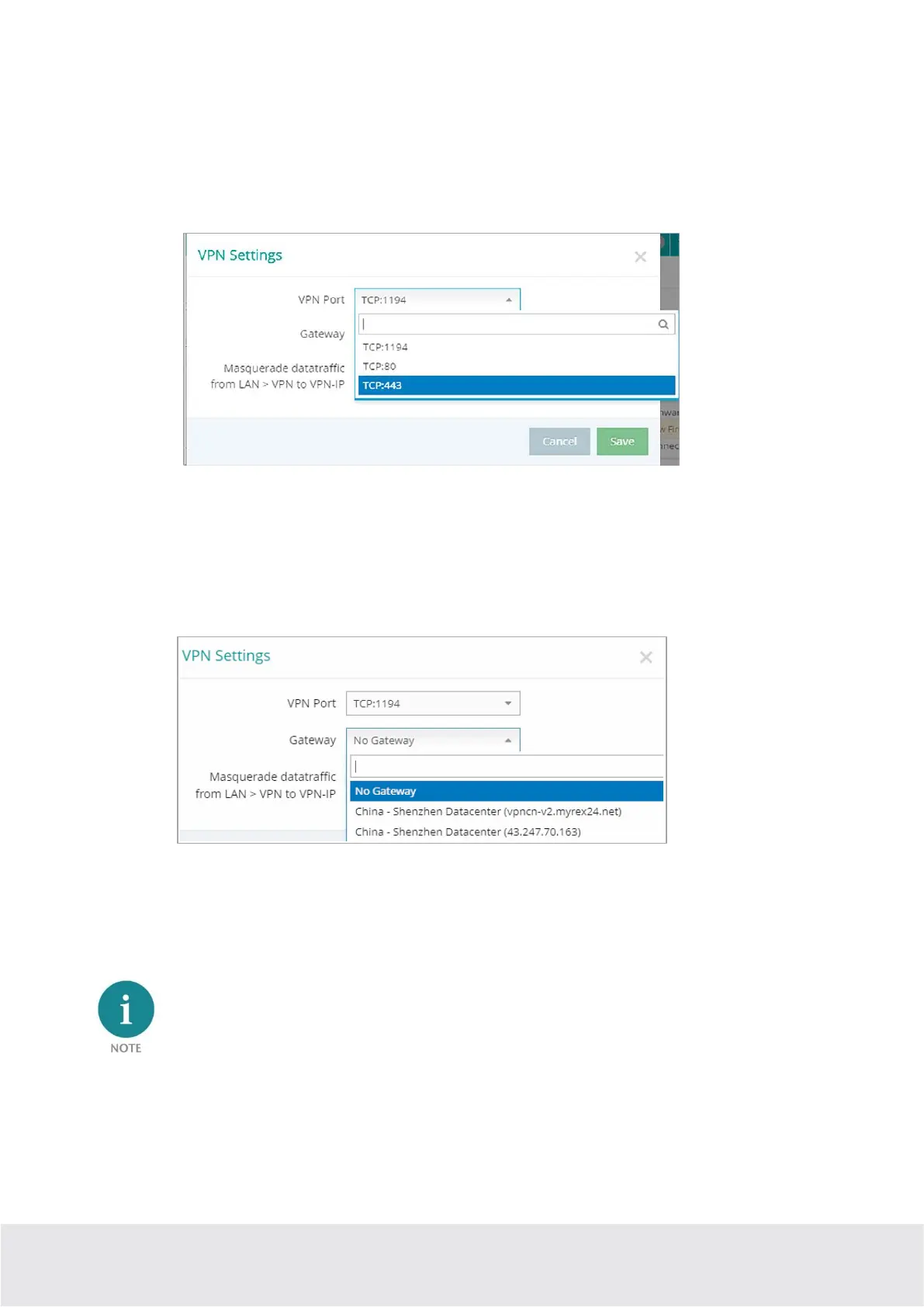
The REX 200/ 250 establishes an outgoing VPN connection via port 1194 (TCP) to the address vpn-
v2.myrex24.net (5.39.123.21) by default.
As an alternative you can also configure port 80 or 443 (device configuration menu “Services” -> “VPN” -
> “VPN Port”).
Relevant for Internet access via the WAN interface: clarify all details about the settings in advance with
the responsible IT department. In order to be able to establish a secure connection to the myREX24 V2
server with shDIALUP or the REX router, at least one of the following TCP ports (80, 1194 or 443) must be
open for the VPN tunnel in the customer's firewall.
China Gateway: By default,
No Gateway
is set
If the REX Router is used in China, the Gateway “China –Shenzhen Datacenter” can be selected.
URL: vpncn-v2.myrex24.net
IPv4 address: 43.247.70.163 (if name resolution does not work).
Do not use the China Gateway outside China!



 To Next Page