QuickStart Guide REX 200/250 | Version 5 | 26.05.2021 16
6.2 Synchronization
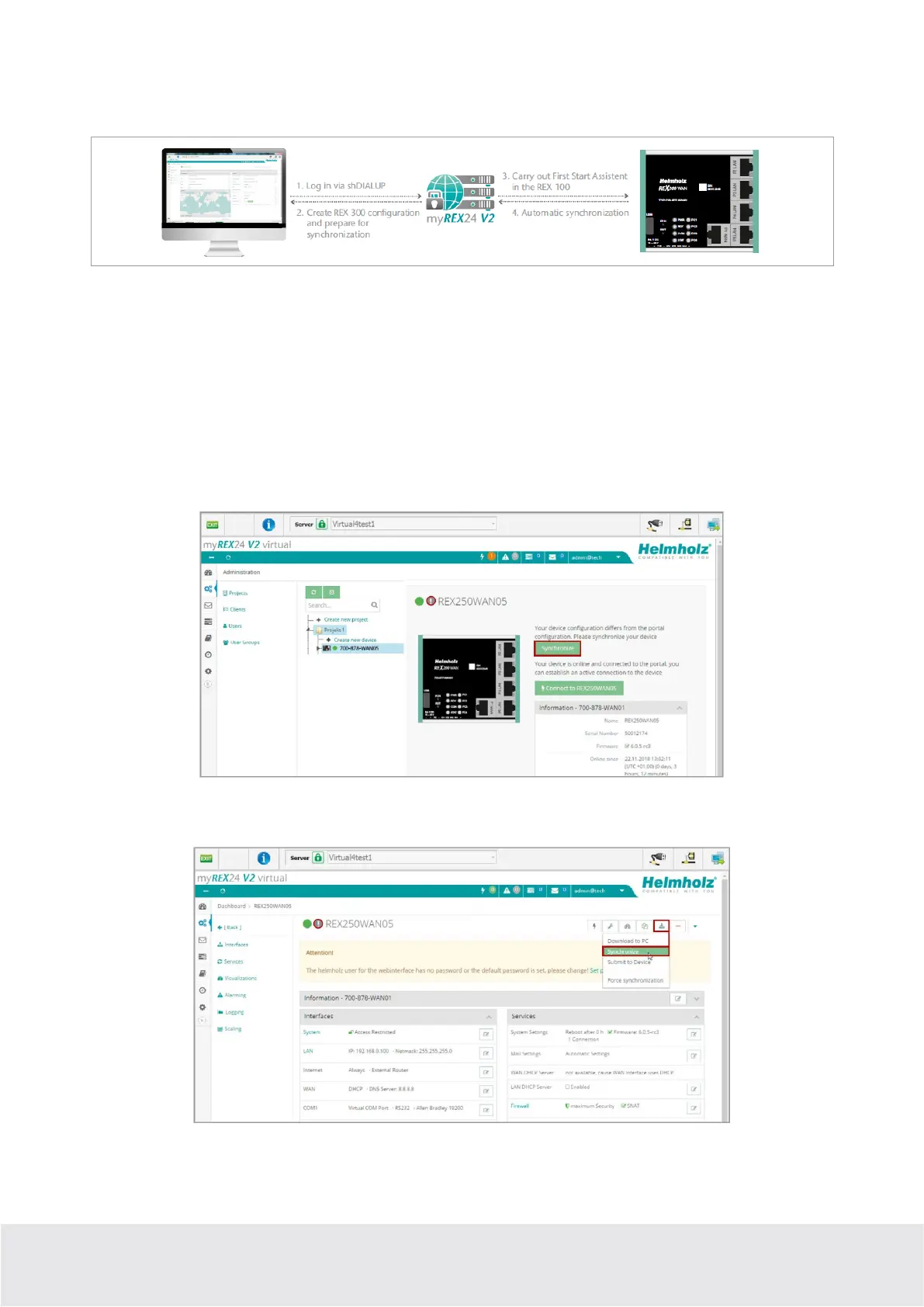
As soon as the REX 200/250 has logged into your account in the portal, you can transfer subsequent
changes at any time with “Synchronize”. Where there is an existing myREX24-V2 portal connection, the
REX 200/250 checks cyclically whether there is a new configuration available for its serial number and
then loads it automatically.
As soon as you have modified and saved one or more parameters, a gray exclamation mark symbol ap-
pears next to the in green animated online LED with the tooltip: "Device configuration not up to date".
Click this symbol (or the "Synchronize" button) to start the process.
Synchronization in the
simplified view:
Synchronization in the
extended view
:



 To Next Page