QuickStart Guide REX 200/250 | Version 5 | 26.05.2021 12
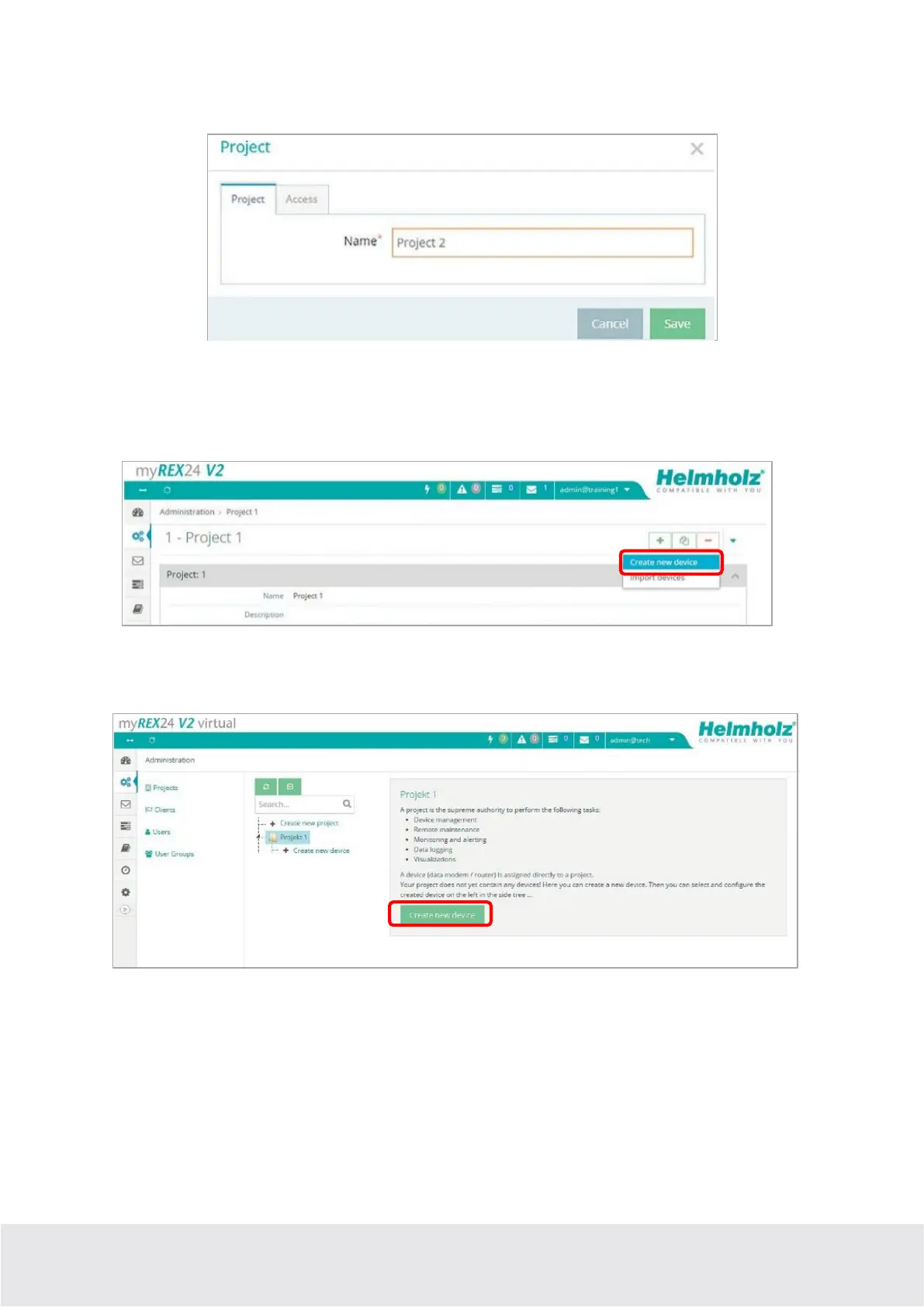
A unique “project” name is now issued in this menu. Additional account users, if created, can be assigned
to this project on the “Access” tab.
5.2 Creating a new device
A router can be added to the tree structure using the green plus symbol or with a right-click of the mouse.
If a project does not yet have a router, the same function is made available in the main view by way of the
green button “
Create new device
”.
Clicking the respective button starts the configuration assistant, which guides the user through the set-
tings.
5.3 Configure REX 200/250 (connection data)
Three simple steps are enough for minimal configuration of the router.
- Selection of the device type
- Network settings
- Transfer of the configuration to the REX router



 To Next Page