QuickStart Guide REX 200/250 | Version 5 | 26.05.2021 22
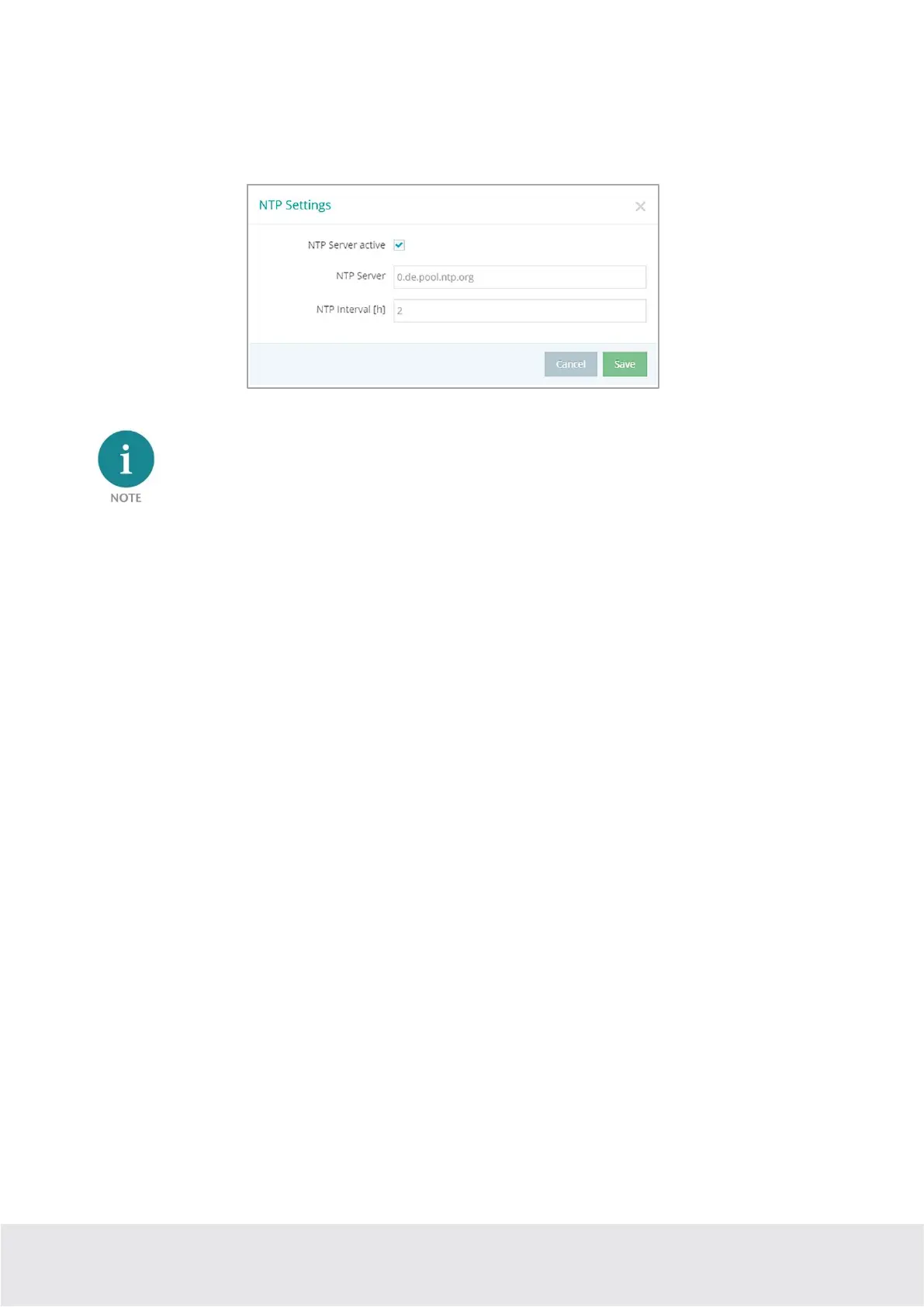
8.6 Device configuration: Services – NTP-Server
For the internal system time of the REX 200/250, this carries out a comparison using a time server on the
Internet at regular intervals. Where necessary, you can individually set the preset NTP server entry and
the interval.
Various functions in the myREX24 portal require a current time setting in the REX 200/250.
8.7 Device configuration: Services – Mail settings (relevant for internet access via
P1 WAN interface)
If you would like to use the REX 200/250 function for the automatic sending of e-mails, port 25 (SMTP)
may not be blocked in the firewall of the customer network. You can also use alternative e-mail servers to
send e-mails.
8.8 no or inadequate mobile communications connection
In the event that the connection of your REX 200/250 router with the portal is not established for mobile
communications remote maintenance or is interrupted during operation, the following parameters,
among others, should be checked:
• incorrect SIM PIN stored in the REX router.
• no credit on prepaid SIM cards.
• blocked ports (dependent upon provider).
• impaired GSM reception quality due to unfavorable antenna location.
• selection of an antenna with inadequate transmission/receiving performance.



 To Next Page