Chapter 2: Installation
To connect the data cable:
Line up the red dot on the data cable end with the red dot on the data port and press
into place.
To disconnect the data cable:
Slide the cable collar (at the connector end) away from the unit and gently remove the
cable.
Setting Up the Unit
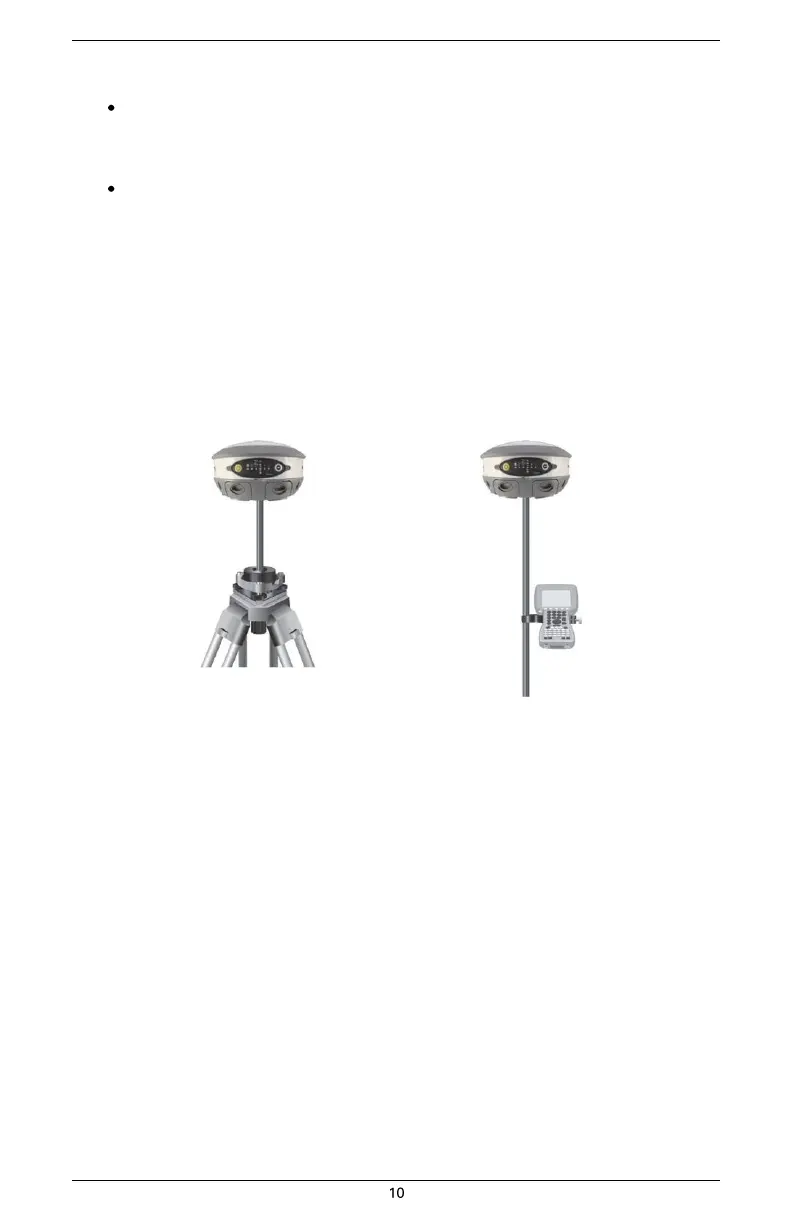
Figure 2-7 shows a typical setup for both a base station unit and a rover unit (tripod and pole mount
not included, data collector optional).
The antenna in Figure 2-7 is connected to the bottom of the unit; you have the option of attaching
the antenna to the antenna bracket so the antenna faces upward. See “Attaching the Antenna” for
more information on attaching the antenna.
Base setup Rover setup
Figure 2-7: Typical base and rover setup


 To Next Page