Chapter 3: Setup and Configuration
Upgrading S320 Firmware
You can upgrade S320 firmware via serial port or SD card.
Upgrading S320 Firmware via Serial Port
Before you upgrade verify the S320 is powered off and, if you will not be using external power, both
Li-ion batteries are fully charged and inserted into the S320.
1.
Download the Autoloader_S320 executable (.exe file) for the most recent version from the
Hemisphere GNSS website at www.hemispheregnss.com and save it to your PC.
2.
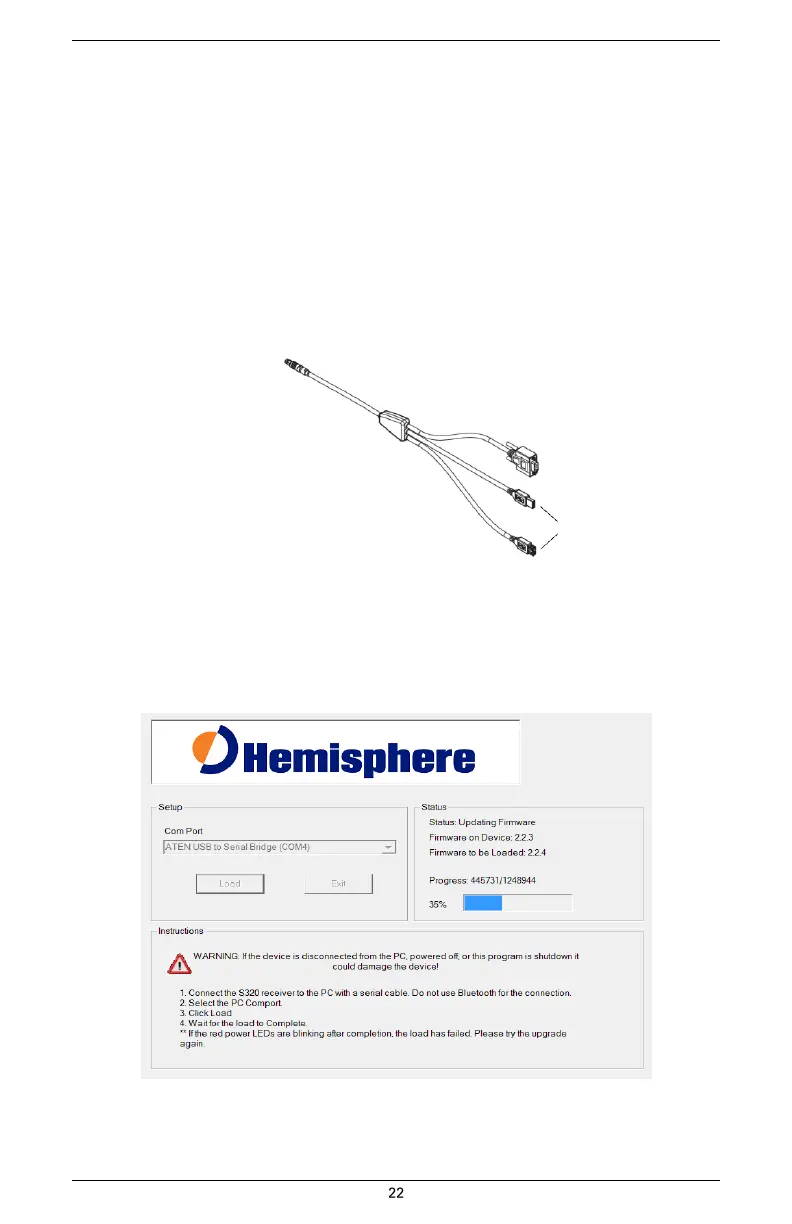
Using the data cable included in your S320 kit, connect the DB9 serial port end of the
cable to your PC and connect the other end of the cable to the data port on the S320
(see below):
To S320 data port
To PC serial port
Not used in this
procedure
3.
Power on the S320.
4.
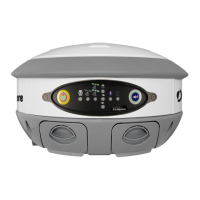
Double-click the Autoloader_S320 file you download in step 1 to start the
Autoloader program.
5.
In the Com Port drop-down box select the appropriate COM port on your PC and then
click Load.
*Status area shows the load progress


 To Next Page