Chapter 3: Setup and Configuration
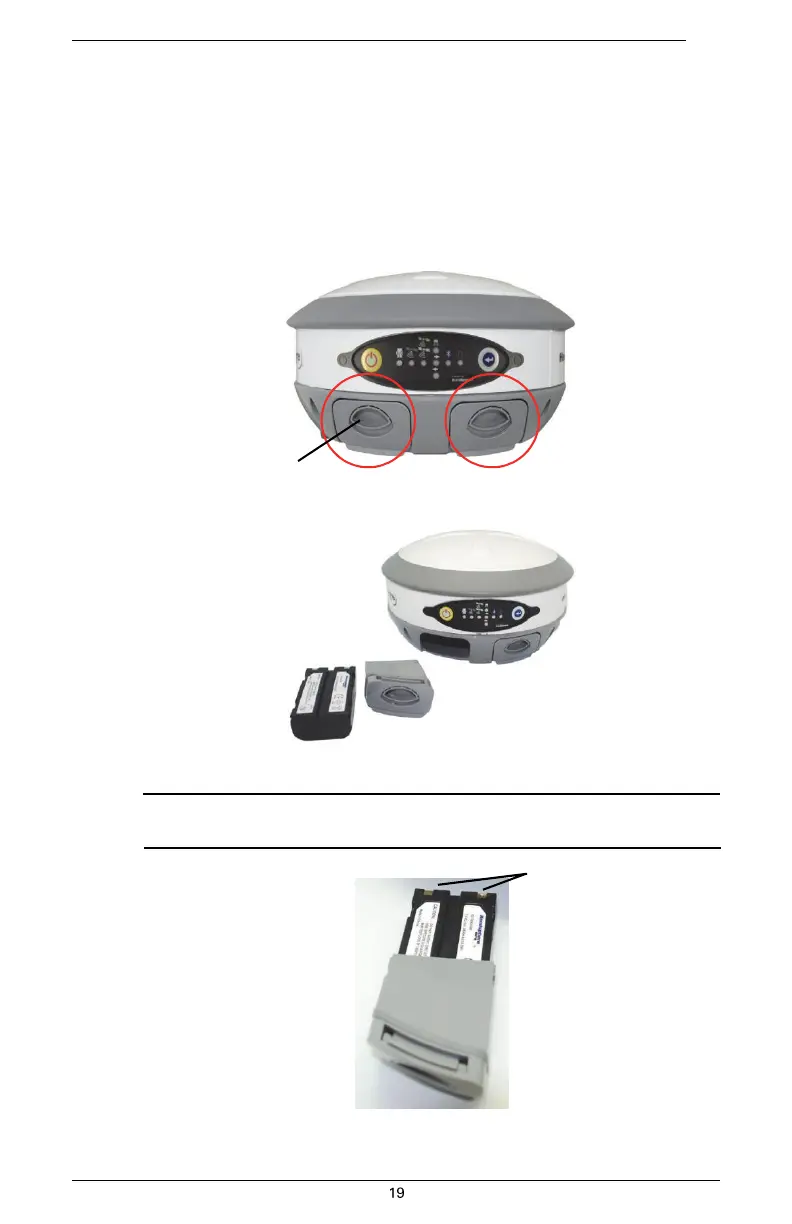
Replacing/Swapping the Batteries
If the S320 is off you can replace both batteries at one time. If you want to keep the unit running
while replacing the batteries you must replace them one at a time to ensure the unit is receiving
power from at least one battery.
To replace/swap a battery:
1.
For the battery you want to replace remove the battery tray by squeezing the thumb
lever and pulling.
Thumb lever
2.
Remove the battery from the tray.
3.
Insert the new battery.
Note: When inserting the battery make sure the end with the leads (on top) points away
from the tray.
Battery leads
4.
Replace the tray, making sure the tray snaps into place.


 To Next Page