Chapter 3: Setup and Configuration____________________________________________________________________
Displaying the Current List of Approved Numbers
To display the current list of approved numbers send the following command:
$JSMS,CONFIG
The reply below contains all the information on the configured numbers and may include SIM
card address book defaults that you can overwrite with your own information.
$>JSMS,CONFIG,1,1,+19995551212,Service,OFF
The format of the reply is:
$>JSMS,CONFIG,[number of approved numbers],[slot number 1/2/ 3],[number],[name],[status
messages ON | OFF]
Note: The reply contains one line for each number. For example, if there are two approved numbers
then the reply will contain a “$>JSMS,CONFIG” line for each number.
Deleting a Number from the Approved Numbers List
To delete a number from the approved numbers list, send the following command:
$JSMS,CONFIG,[1/2/3 or keyword ALL],DELETE
For example, to delete the number in slot 2 send the following command:
$JSMS,CONFIG,2,DELETE
And to delete all numbers from the list, send the following command:
$JSMS,CONFIG,ALL,DELETE
Sending an SMS Message to an Approved Number
To send an SMS message to an approved number, send the following command:
$JSMS,SEND,[name or phone number or slot number],[message]
For example, to send a “This is a test” message to Customer Support (USA phone number 480-348-
9919, slot number 2) you can send any of the following commands:
$JSMS,SEND,SERVICE,This is a test
$JSMS,SEND,+14803489919,This is a test
$JSMS,SEND,2,This is a test
Restoring Factory Defaults
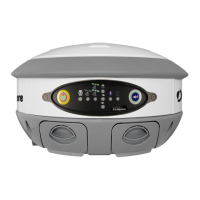
If you need to restore your factory defaults for any reason you can do this via the Control panel.
To restore factory defaults:
Press and hold the Power button for 10 to 20 seconds and release it while the GPS
status and DGPS status LEDs are blinking.


 To Next Page