Chapter 3: Setup and Configuration
Displaying Current Module Status
The S320 allows you to quickly review the status of each module (UHF/GSM, mode of operation,
Bluetooth, and SD card logging).
To display current module status:
Press the Select button.
The external power status LED is red (the unit is displaying its current status) and the LED of each
module will be either OFF (LED not illuminated, module powered off) or ON (LED illuminated, module
powered on).
Table 3-3 illustrates the colors of the LEDs for each module.
Table 3-3: Module status LED color descriptions
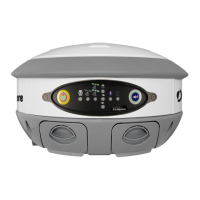
For example, in the figure below the UHF radio is on, the unit is in RTK Rover mode, Bluetooth is
active, and SD card logging is on.


 To Next Page
