Chapter 3: Setup and Configuration
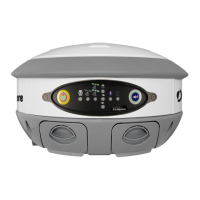
Control Panel Overview
Powering the S320 On and Off
Modes of Operation
Displaying Current Module Status
Changing Module Status
Tilt Function Control
Alarm/Buzzer
Power and Battery Status/Charge
Replacing/Swapping the Batteries
Removing/Inserting the SD Card / SIM Card
Bluetooth Communication
Upgrading S320 Firmware
GSM Functionality
AT&T 2G Network
Configuring SMS Messaging
Restoring Factory Defaults


 To Next Page