31
•
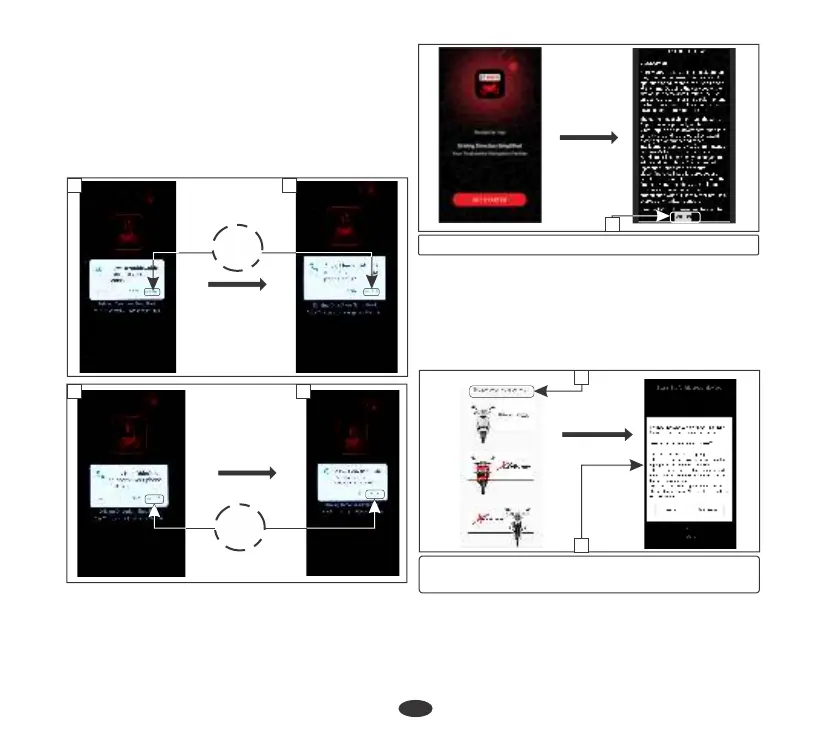
For first time pairing, allow the application
to access:
a. Contacts
c. Phone call logs on your device
d. Device’s location if GPS is not enabled in
your device
b. Make & manage phone calls
•
Then the application will automatically start.
•
Application also asks you to accept (2) the
terms of use to proceed.
c
d
ALLOW
a
b
ALLOW
(2) Accept terms of use
2
• Now select your vehicle (3).
• Now application asks the user to turn the
battery optimization off (4). It can be done
by following the steps which are mentioned
in the application or the user can ignore this
step.
(3) Select your vehicle
(4) Battery optimization
4
•
The application searches for a while and
displays all nearby devices. Select the device
with your name (5).
3



 To Next Page