16
(e) i3s switch/indicator
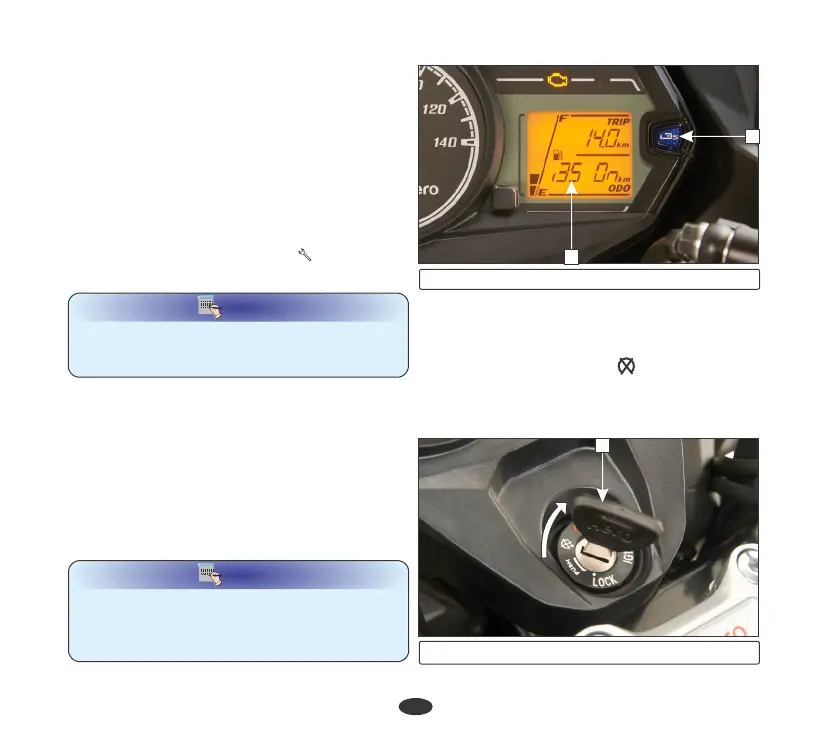
There is an i3s switch provided/indicator (8)
on right side of the meter console to enable
the turning i3s mode “ON” or “OFF” based
on the traffic conditions.
Press the i3s switch/indicator (8) to change
the i3s mode (9) which will appear on the
LCD panel as “i3S ON” or “i3S OFF”.
8
9
(8) i3s switch/indicator (9) i3s mode
NOTE
NOTE
If vehicle is in odometer mode press the set
button to know the i3s mode, then press the
i3s switch to change the i3s mode "ON" or
"OFF" position.
The ervice eminder ndicator ( ) is to s r i 7
indicate user to bring the vehicle to an
Authorised workshop for Hero MotoCorp
service. The indicator shall start blinking when
the vehicle covers kilometers as specified in
the maintenance schedule. The indicator will
The service reminder indicator can be reset ( )
at an Authorised workshop.Hero MotoCorp
(d) Service reminder indicator
keep on blinking throughout the kilometer
interval for a particular service and will stay
‘‘ON’’ thereafter.
NOTE
NOTE
After getting the vehicle serviced, make sure
that the service reminder indicator has been
reset.
(1) Ignition key
1
Steering lock with ignition switch, turn the
ignition key (1) to "OFF" ( ) position & turn
the handle bar towards left or right & push the
key downwards & turn towards "LOCK”
position. After locking take out the key.
Steering lock
FEATURES














 To Next Page