29
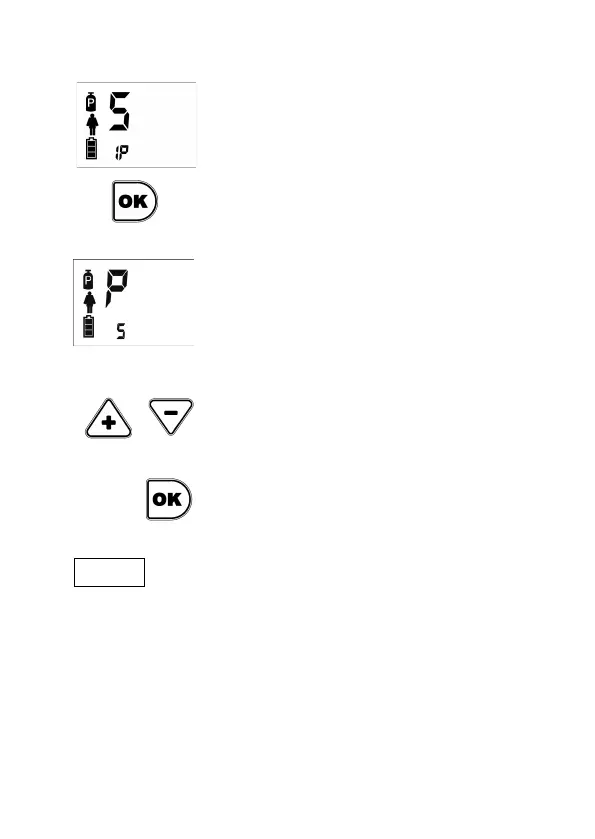
The second parameter to set to activate
Smart Flow is the percentage of increase
(IP) of equivalent flow.
Pressing the OK button changes the
letter S to P (Percentage) and you can
modify the value.
The default value of IP is 5%. It means
that for every unit of increase in
respiratory rate on the programmed
basal rate, the bolus increase in the
proportion necessary to increase the
equivalent flow 5%. The configurable
range is between 1 and 10%. In the
example it has been selected 5%. You
can see a practical example on page 13.
To change the value, use the Plus or
Minus keys.
Once configured, you must confirm by
pressing OK.
I NOTE .
OXYMO never provides a bolus greater than an equivalent flow of 7.5L/min.


 To Next Page