Hex GS-911 for BMW Motorcycles
_________________________________________________________________________________________________
_________________________________________________________________________________________________
© Hex Innovate 2021-2022 Page 10 of 38 GS-911 2207.2
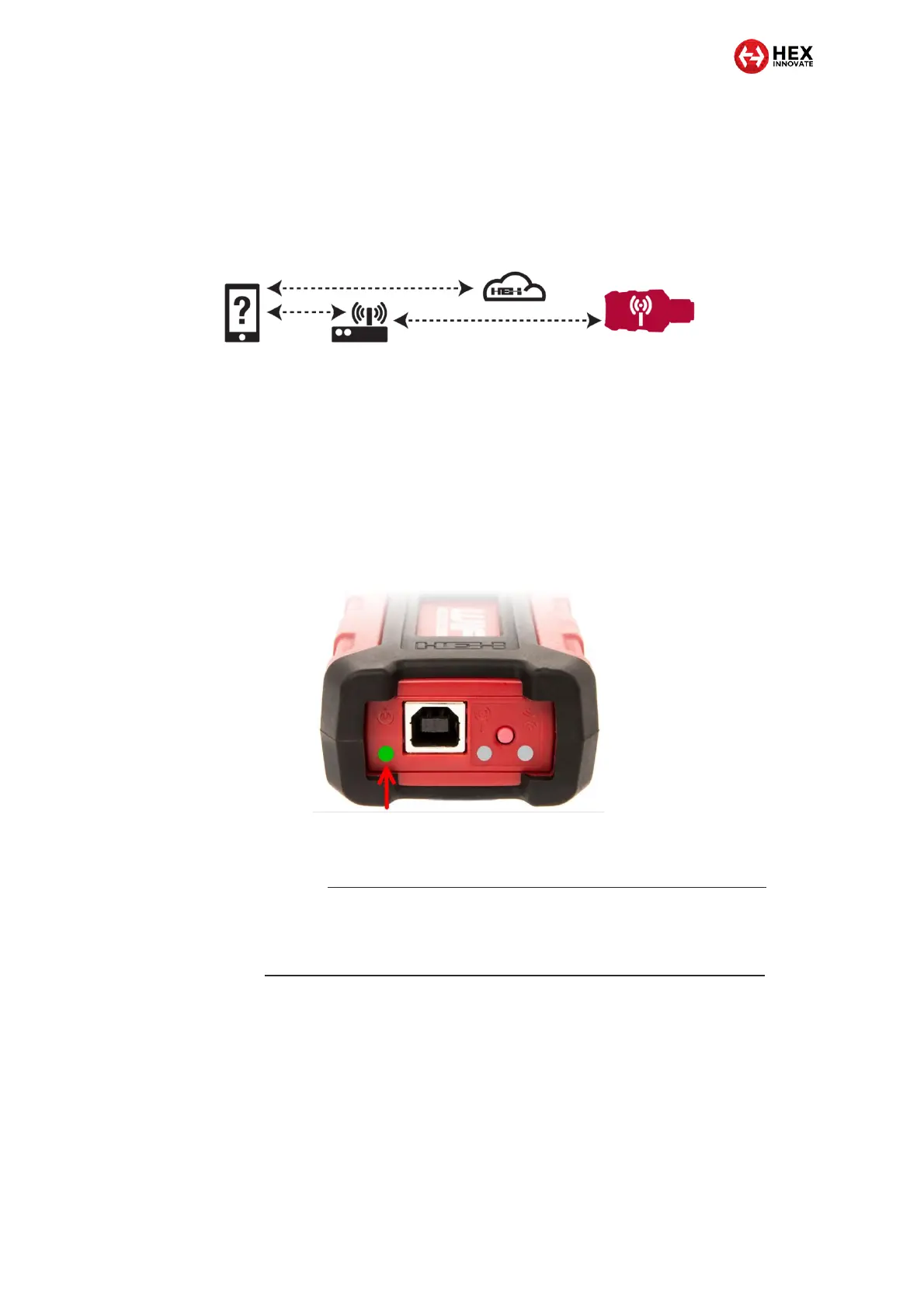
If the control device and GS-911 USB+Wi-Fi device are far apart,
or you need Service functionality while using a mobile control
device, the control device can communicate with the GS-911 and
the remote Hex server through a local Wi-Fi network using
Infrastructure mode (below).
5.1.1 Creating a D2D connection between GS-911 and a control device
Create a device-to-device (D2D) connection between a GS-911 USB+Wi-
Fi and a computer or mobile device by doing the steps that follow:
1. Power the GS-911 by connecting it to a USB port, or to the
motorcycle’s diagnostic connector.
When the boot sequence is complete, the Power/status
LED (below) will flash green once per second.
If the Power/status LED shows steady red, the GS-911’s boot
sequence has failed. For a full explanation of GS-911’s light codes,
refer to https://www.hexgs911.com/connectors-buttons-and-lights/.
If the Power/status LED still shows steady red after the GS-911 is
disconnected and reconnected, there may be a firmware fault:
reinstall the device firmware as shown at
https://www.hexgs911.com/faq/how-do-i-recover-corrupt-firmware/.
2. If the Infrastructure mode LED (lower arrow, below) shows steady
green, press and release the Wi-Fi mode button on the GS-911
(upper arrow, below).


 To Next Page