Hex GS-911 for BMW Motorcycles
_________________________________________________________________________________________________
_________________________________________________________________________________________________
© Hex Innovate 2021-2022 Page 11 of 38 GS-911 2207.2
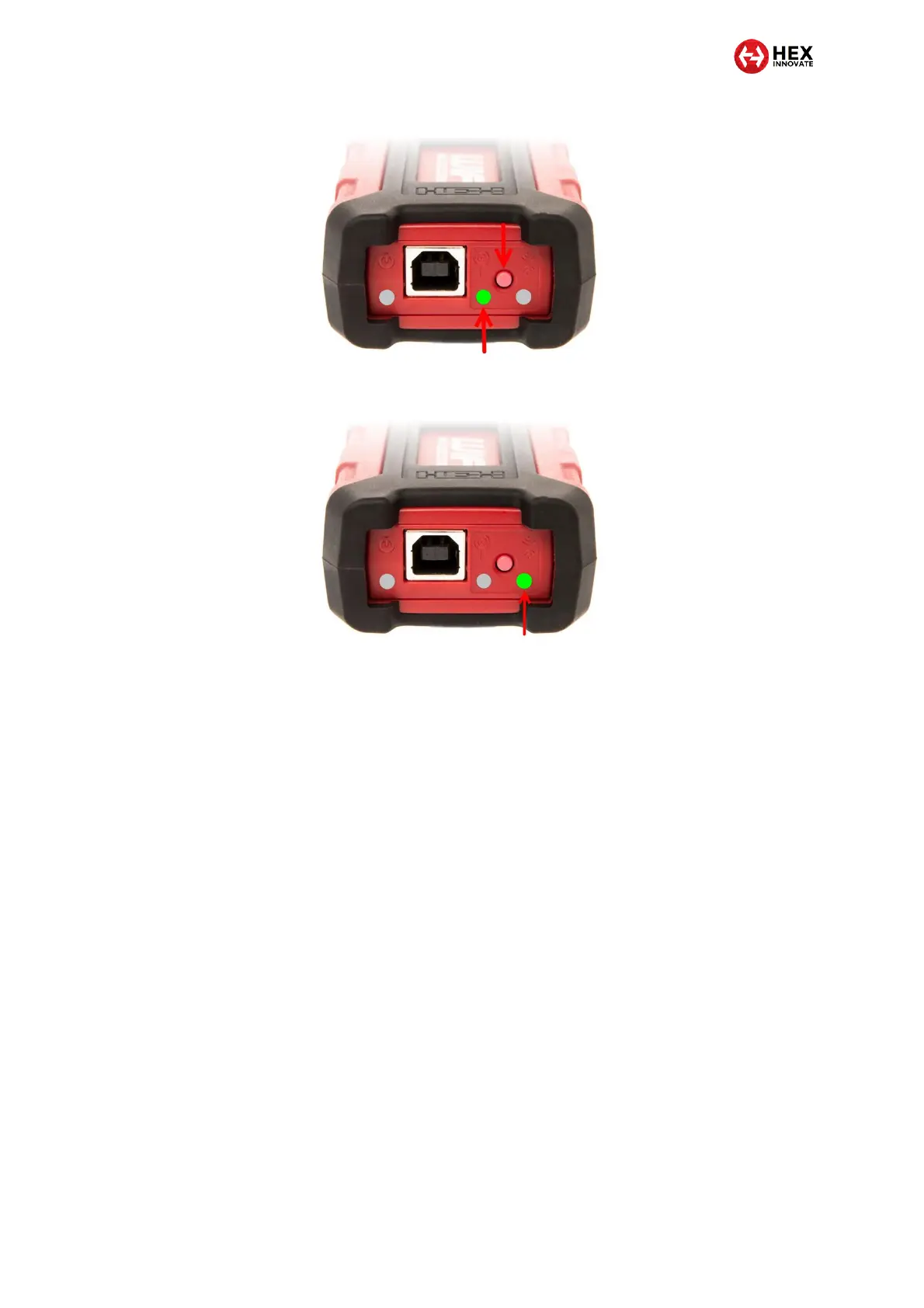
The D2D mode LED should briefly show red, then show
steady green (below).
3. Activate Wi-Fi connectivity on your control device.
4. Search for and connect to the GS-911 using the control device’s
Wi-Fi functionality. The GS-911 should appear in the control
device’s network/internet settings dialogue as GS911_XXXX
(where XXXX is the GS-911's serial number).
5.1.2 Creating an infrastructure connection between GS-911 and a control
device
If you have access to a local Wi-Fi network with internet connectivity, you
can create an infrastructure connection in order to use the GS-911 Cloud
functionality.
You need an infrastructure connection if:
You need full Service functionality when using a non-Windows
control device (such as a mobile phone).
Your control device and GS-911 USB+Wi-Fi device are too far
apart to communicate in D2D mode.
More than one GS-911 USB+Wi-Fi device is being used in the
same general area at the same time (for example, in a motorcycle
repair workshop).
To create an infrastructure connection between your control device, a GS-
911 USB+Wi-Fi and a local Wi-Fi network, do the steps that follow:


 To Next Page