Hex GS-911 for BMW Motorcycles
_________________________________________________________________________________________________
_________________________________________________________________________________________________
© Hex Innovate 2021-2022 Page 9 of 38 GS-911 2207.2
5 CONNECTING GS-911 TO A COMPUTER
Depending on what type of GS-911 device you have, you may have a
choice between two different connection methods.
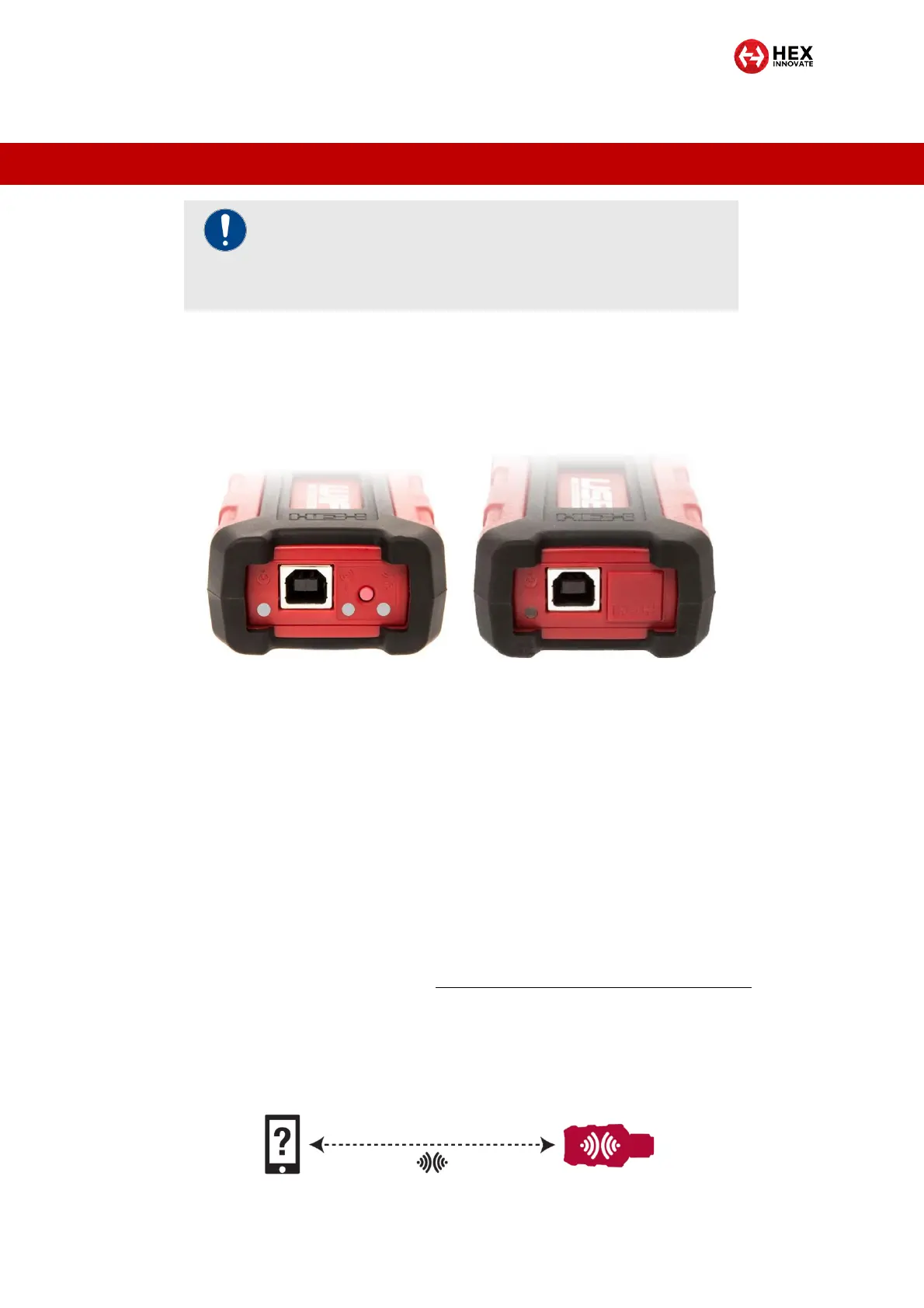
GS-911 USB+Wi-Fi devices have a USB B port and Wi-Fi
connection controls (below, left). These devices can connect to
control devices using USB and Wi-Fi.
GS-911 USB devices only have a USB B port (above, right). These
devices can only connect:
o To Windows-based laptop or desktop computers
o To laptop or desktop computers running a virtual machine-
based Windows installation.
o Using USB.
5.1 Connecting to a GS-911 using Wi-Fi
GS-911 USB+Wi-Fi devices can communicate wirelessly with Wi-Fi-
equipped control devices. Wi-Fi is an information-exchange protocol that
works using radio. You can read the full Wi-Fi specification that GS-911
requires and complies with at https://www.hexgs911.com/specifications/.
A GS-911 USB+Wi-Fi device can communicate with a Wi-Fi-equipped
control device in two different ways:
The control device can communicate directly with the GS-911
USB+Wi-Fi device using Device-to-device (D2D) mode (below).
IMPORTANT
It is recommended that you keep your control device
connected to the internet while using the GS-911 and its
software.


 To Next Page