Hex GS-911 for BMW Motorcycles
_________________________________________________________________________________________________
_________________________________________________________________________________________________
© Hex Innovate 2021-2022 Page 16 of 38 GS-911 2207.2
6.3 Service functionality and mobile control devices
If you have Wi-Fi internet connectivity, full Service & Maintenance
functionality is available from the GS-911 Cloud server. If Wi-Fi
connectivity is not available, only emergency functionality can be used.
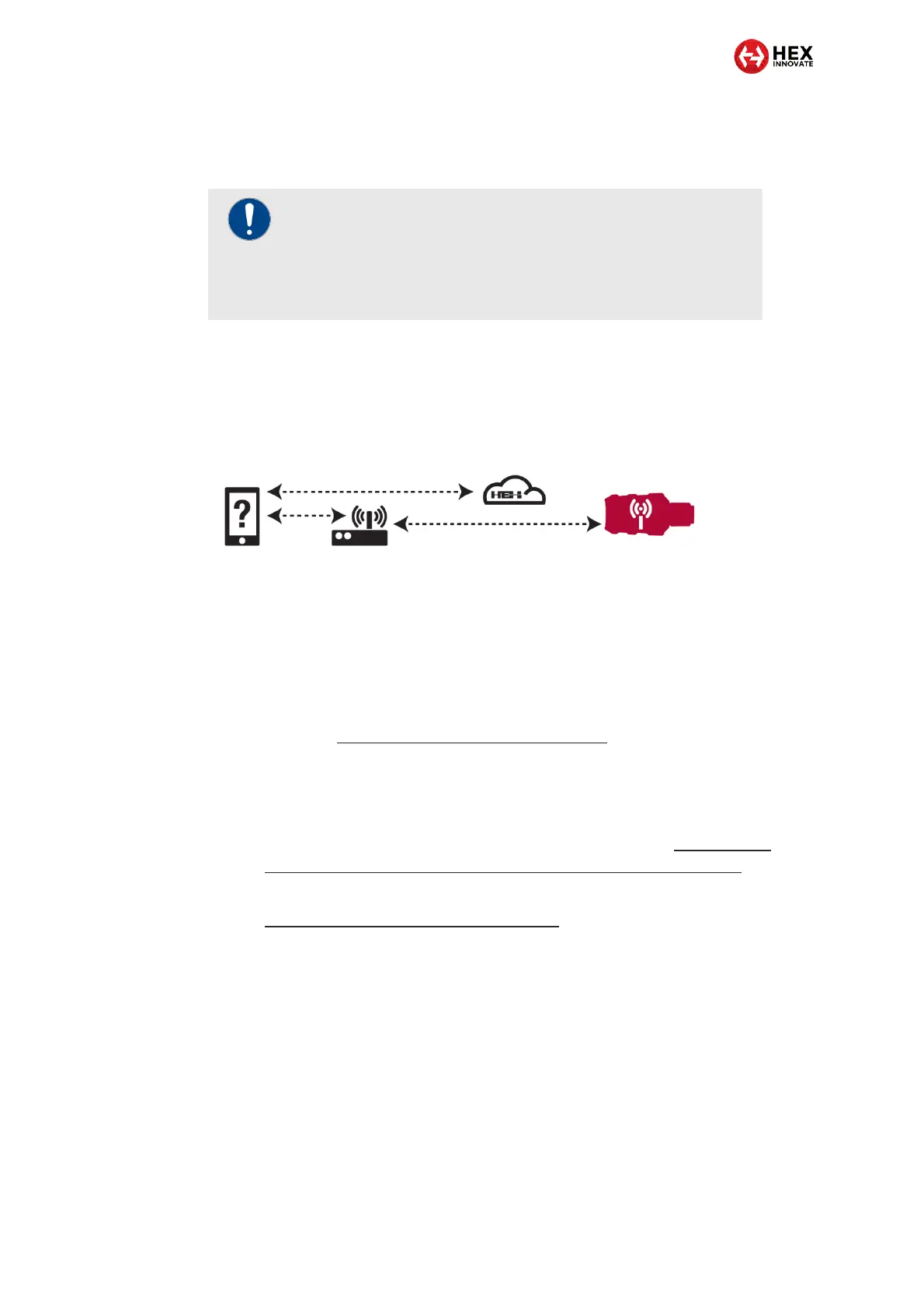
The image below shows the basic data flows when the GS-911 Cloud is
accessed in Infrastructure mode:
The GS-911 Cloud function allows full Service functionality from any
control device that has Wi-Fi connectivity and an HTML5-compatible web
browser.
Access Service functionality from your mobile phone by doing the steps
that follow:
1. Connect the GS-911 to the motorcycle's diagnostic connector as
shown in Connecting GS-911 to a motorcycle.
2. Make sure your mobile control device, the GS-911, and the local
Wi-Fi router are as close to each other as practically possible.
3. Create a Wi-Fi link between the mobile control device, the local
Wi-Fi network and the GS-911, as shown in Creating an
infrastructure connection between GS-911 and a control device.
4. If the mobile device cannot communicate with the GS-911, see
Troubleshooting communication issues.
IMPORTANT
To use GS-911 Cloud functionality, you need:
A GS-911 Wi-Fi+USB device.
A Wi-Fi-based internet connection.


 To Next Page