Hex GS-911 for BMW Motorcycles
_________________________________________________________________________________________________
_________________________________________________________________________________________________
© Hex Innovate 2021-2022 Page 15 of 38 GS-911 2207.2
2. Connect the phone to the GS-911 (using D2D mode) or to the Wi-
Fi network configured on the GS-911 (using Infrastructure mode)
as shown in Connecting to a GS-911 using Wi-Fi.
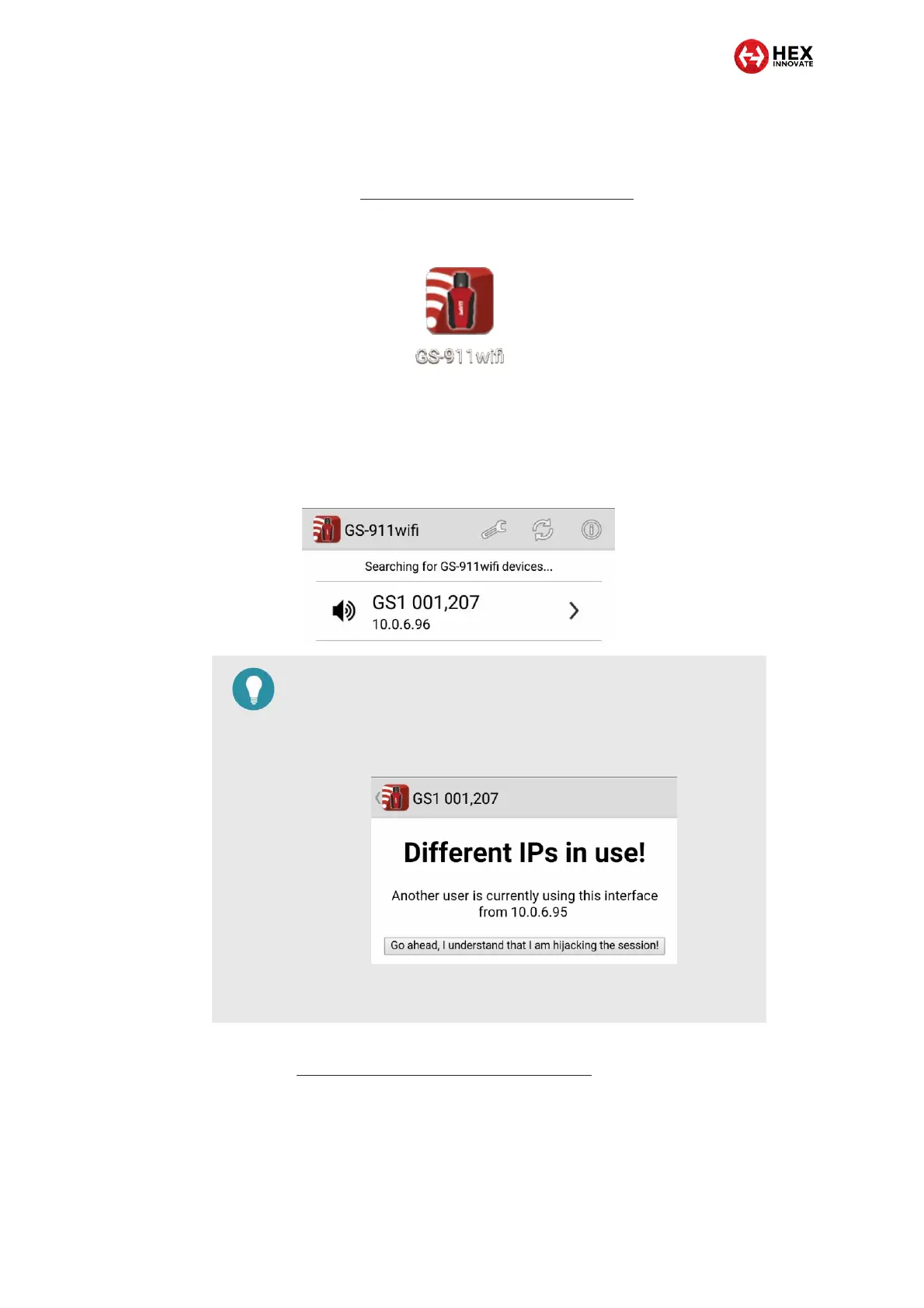
3. Click the GS-911 wifi application icon on the control device’s
screen (below).
The GS-911 Wi-Fi application will launch, and will search
for GS-911 USB+Wi-Fi devices to connect to.
If a connected GS-911 is found, the GS-911’s IP address
will be shown on the search screen (a typical view is shown
below).
4. If the mobile control device cannot communicate with the GS-911,
see Troubleshooting communication issues.
TIP
If a different control device is connected to the GS-911 you
want to connect to, you must either leave the existing
connection as is, or take over the connection using the new
control device (below).
To take over the session using the new control device, click
Go ahead, I understand that I am hijacking the session!


 To Next Page