Indverter V2 Manual
Issue 03 Dated 11 November 2009 S/w Ver 12.4 HEXMOTO
Controls Pvt.Ltd
31
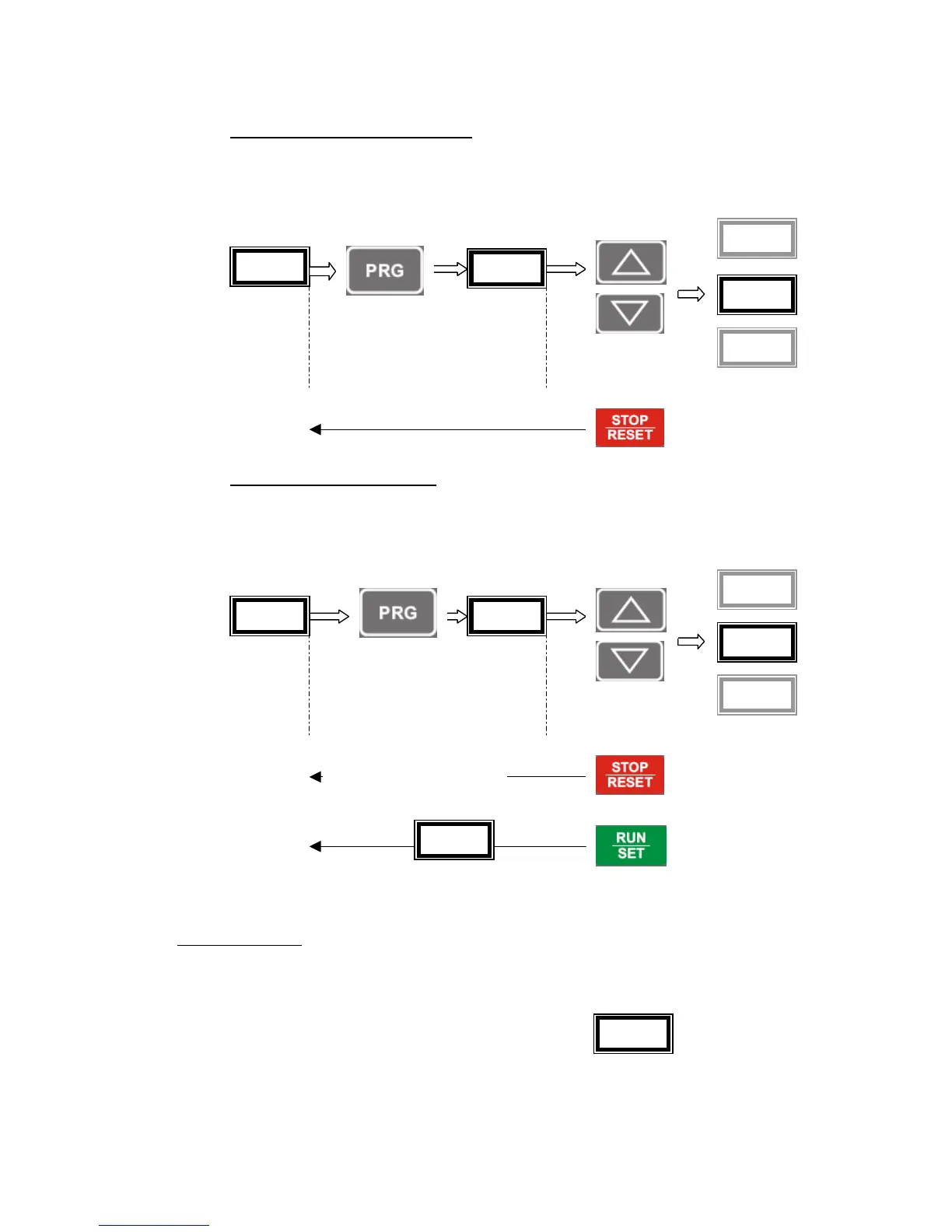
Step-1 Selecting a Function code
Ready To Run Press key Function Code Use Up/Dn key
To select function code
Display
Step-2 Modify Function data
Function Press key Data Use Up/Dn key
Code To Modify Data
Display
00 Parameter Lock
To protect un-intentional use of programmable parameters, user can lock the parameter values using this
function. After drive is configured for particular application functionality and all the parameters are set, this
parameter may be enabled to prevent further mis-handling of the settings. Once this parameter is enabled,
drive displays “Prot” whenever user tries to store a new value.
* By disabling Parameter Lock, user can modify the parameters
Prot
00.0


 To Next Page