30
STEP 6
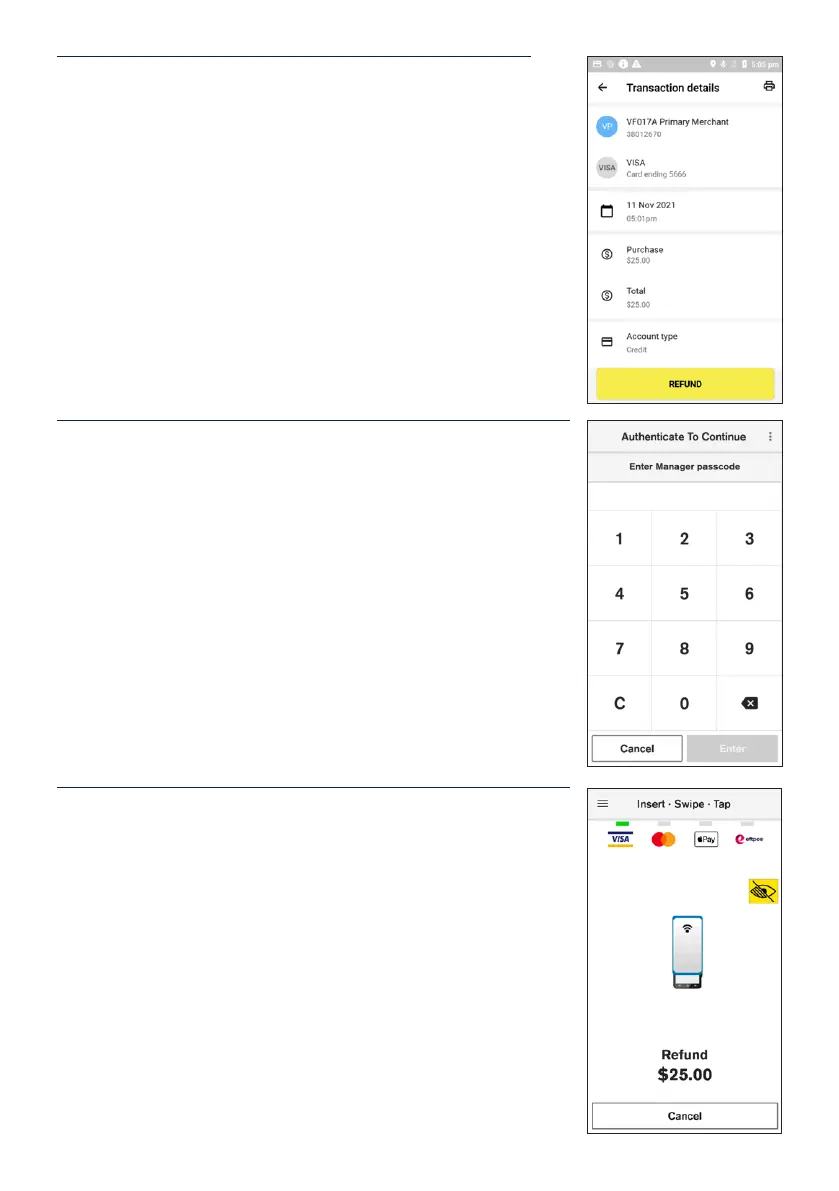
Conrm the details of the transaction and tap the REFUND
button at the bottom of the screen.
STEP 7
To complete the refund, you will be required to enter the
manager passcode.
If you have forgotten the passcode, you will need to contact the
HICAPS Help Desk on 1300 650 852.
Note: If you’re prompted for Refund Options, select Card or
Mobile.
STEP 8
On the Card Presentation Screen, Tap or Insert the original
transaction card to process the refund.


 To Next Page