31
STEP 9
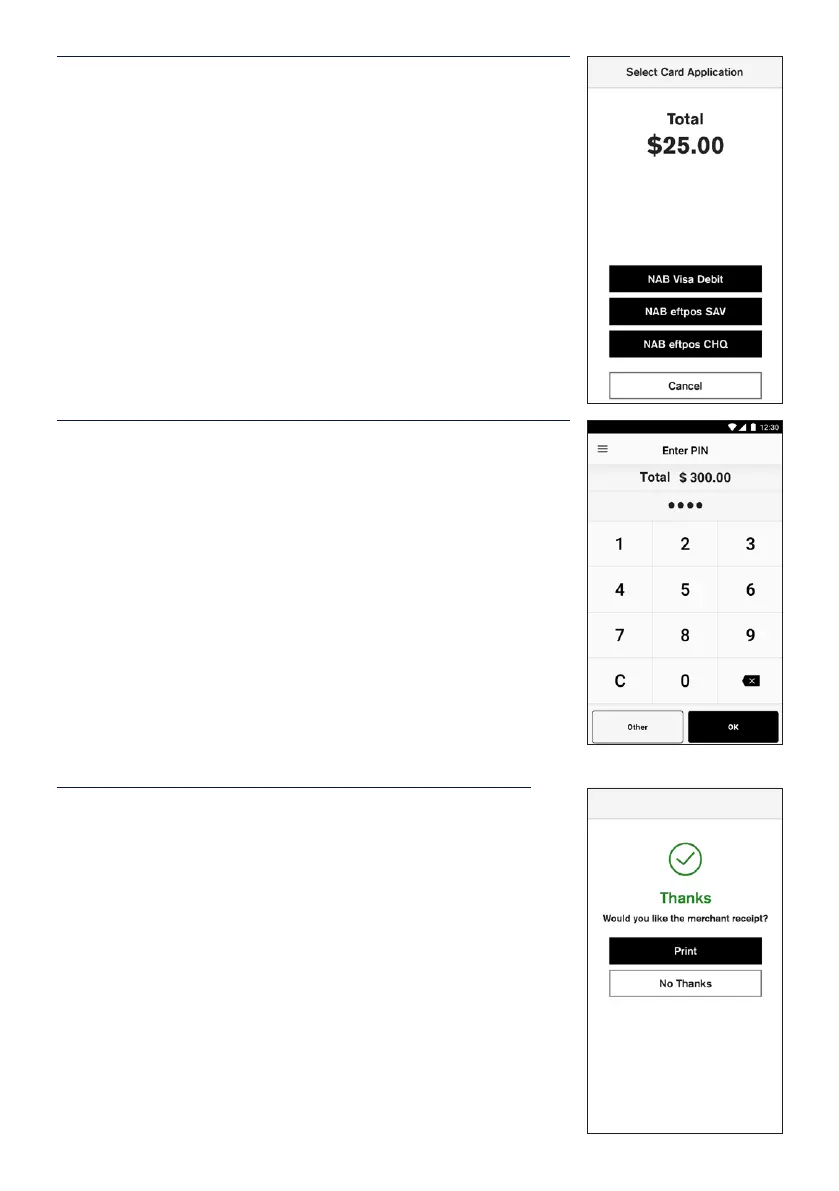
Cardholder may be prompted to select their account on
the≈touch screen.
STEP 10
If a PIN is required to complete the transaction a keypad
willbe displayed for a customer to enter their PIN and tap
Entertocomplete the transaction.
Note: In some cases, the card will not require a PIN and
therefore a signature will be required to complete the
transaction.
STEP 11
The transaction will be processed by the bank and be
approved or declined. Please ensure you check the screen
and receipt to conrm the transaction was approved or
declined.
Merchant can choose to print a receipt following a
response from the bank. Tap Print to print or No Thanks to
decline printing a receipt.


 To Next Page