Opon Nocaon
Nocaon Type SMS & Voice Call Check Box
Alarms and Tampers
Life Safety Alarms
Maintenance and Faults
Mobile Client Registraon
If you want to register the device to the mobile client for remote conguraon, you should set the
mobile client
registraon parameters.
Before You Start
• Connect the device to the network via wired connecon, dial-up connecon, or Wi-Fi
connecon.
• Set the device IP address, subnet mask, gateway and DNS server in the LAN.
Steps
1. Click
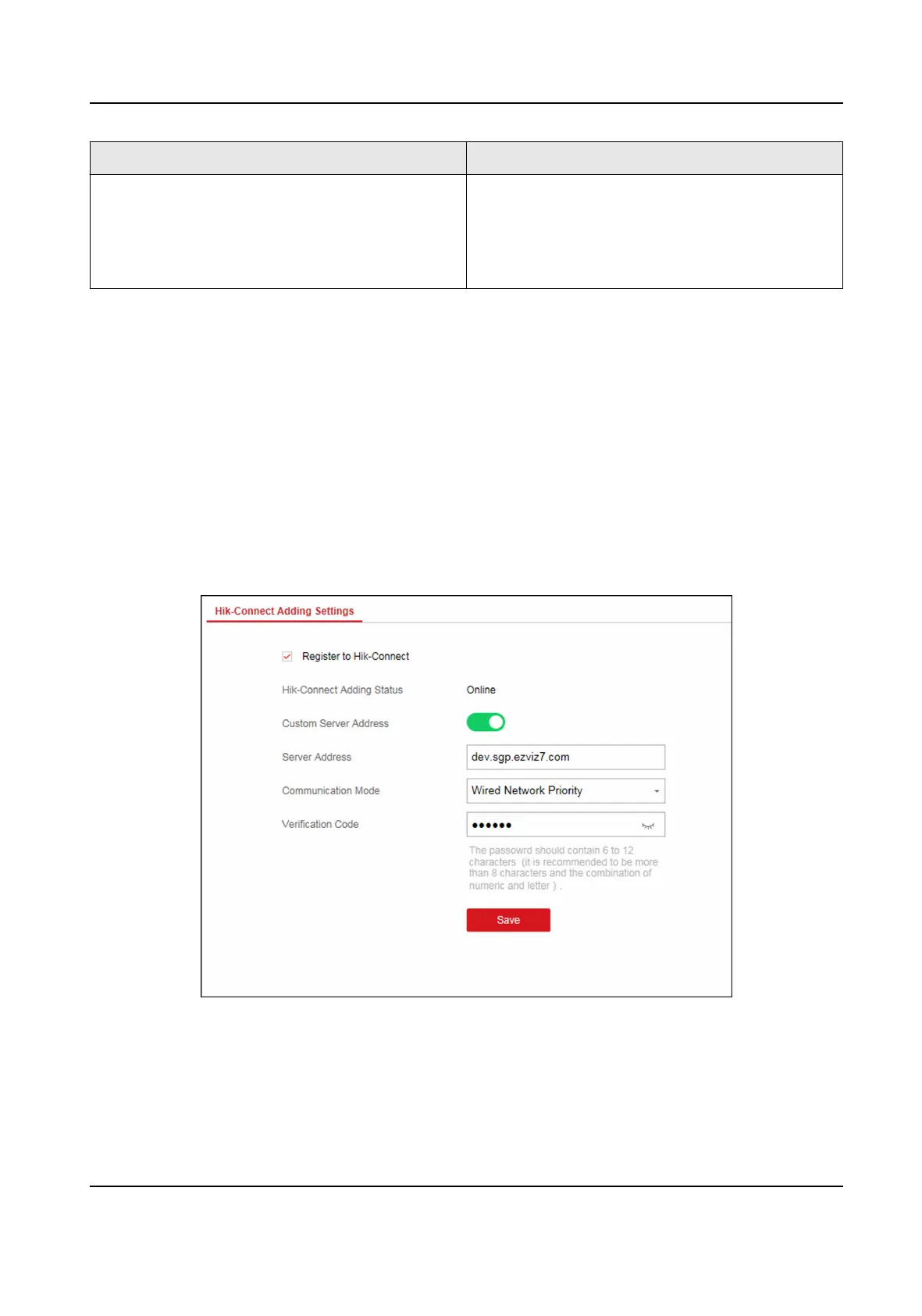
Communicaon Parameters → Hik-Connect Registraon to enter the Hik-Connect
Registraon Sengs page.
Figure 4-9 Hik-Connect Registraon Sengs Page
2. Check Register to Hik-Connect.
AX Security Control Panel
27



 To Next Page
 Loading...