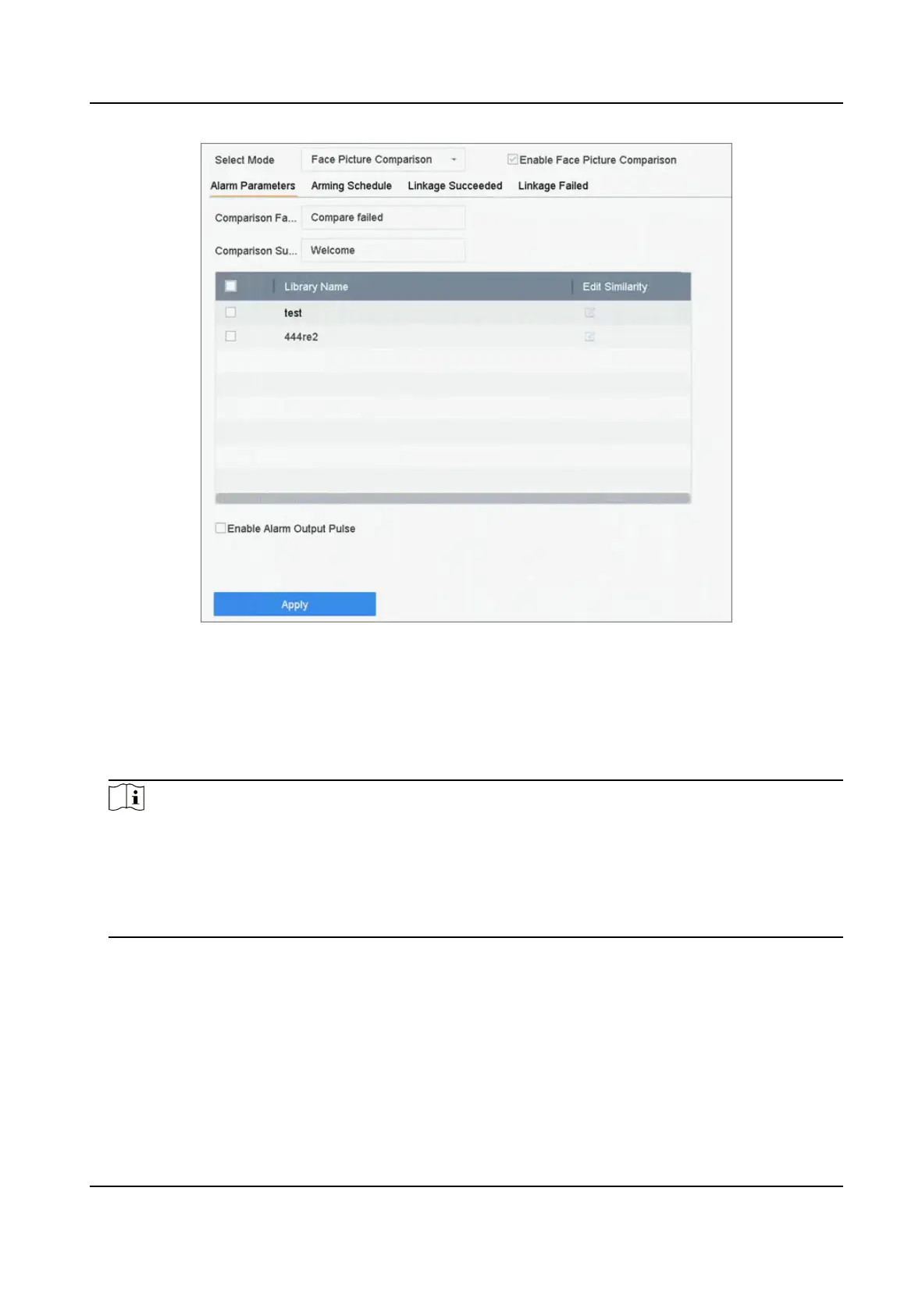
Figure 7-5 Face Picture Comparison
4. Set Mode as Face Picture Comparison.
5.
Oponal: Check Enable Non-Real-Time Mode. For places with a high ow of people, the device
processing speed may not be fast enough, Non-Real-Time Mode will save the real-me pictures
as cache, and process them later when engine has free resource.
Aer enabling this funcon, all
channels will be able to support face picture comparison.
Note
●
When Non-Real-Time Mode is enabled, the linkage method will only support Nofy
Surveillance Center.
●
Non-Real-Time Mode will not trigger real-me alarm, so Arming Schedule is unavailable.
●
You can search the comparison event results in File Management → Smart Search → Face
Search → Search by Event .
6. Check Enable Face Picture Comparison.
7. Oponal: Check Save VCA Picture to save the captured pictures of VCA detecon. Aer the face
picture comparison is enabled, the comparison results will be uploaded for face comparison
alarm. If the comparison produced a match, both the
real-me face picture and the target
picture from the library will be uploaded. If no match is produced, the real-me face picture is
uploaded to center only.
8.
Oponal: Set Comparison Failed Prompt, Comparison Succeeded Prompt, and Enable Alarm
Output Pulse.
Network Video Recorder User Manual
86


 To Next Page
 Loading...