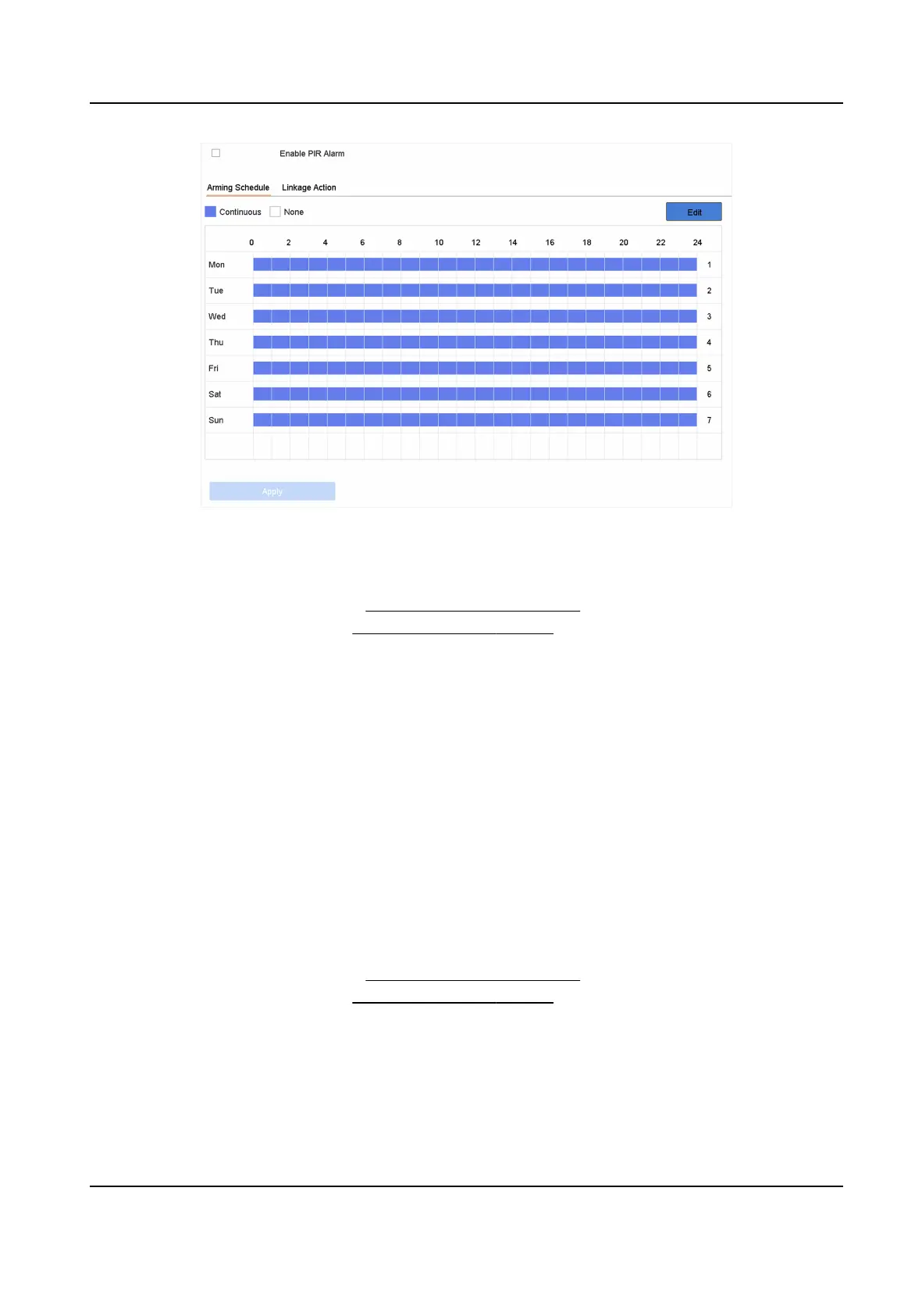
Figure 6-13 PIR Alarm
4. Check PIR Alarm.
5. Oponal: Check Save VCA Picture to save the captured of PIR alarm pictures.
6. Set the arming schedule. Refer to
Congure Arming Schedule .
7. Set the linkage acons. Refer to Congure Linkage Acons .
8. Click Apply.
6.2.14 Thermal Camera
Detecon
The NVR supports the event detecon modes of the thermal network cameras: re and smoke
detecon, temperature detecon, temperature dierence detecon, etc.
Before You Start
Add the thermal network camera to your device and make sure the camera is acvated.
Steps
1. Go to Smart Analysis → Smart Event Sengs → Other Events .
2. Select a thermal camera.
3.
Oponal: Check Save VCA Picture to save the captured pictures of detecon.
4. Select an event detecon (Temperature Measurement Alarm, etc.).
5. Set the arming schedule. Refer to
Congure Arming Schedule .
6. Set the linkage acons. Refer to Congure Linkage Acons .
7. Click Apply.
Network Video Recorder User Manual
74


 To Next Page
 Loading...