213960EN(1) - P290 Mattress Instructions for Use Page 13
Destination
Specifications
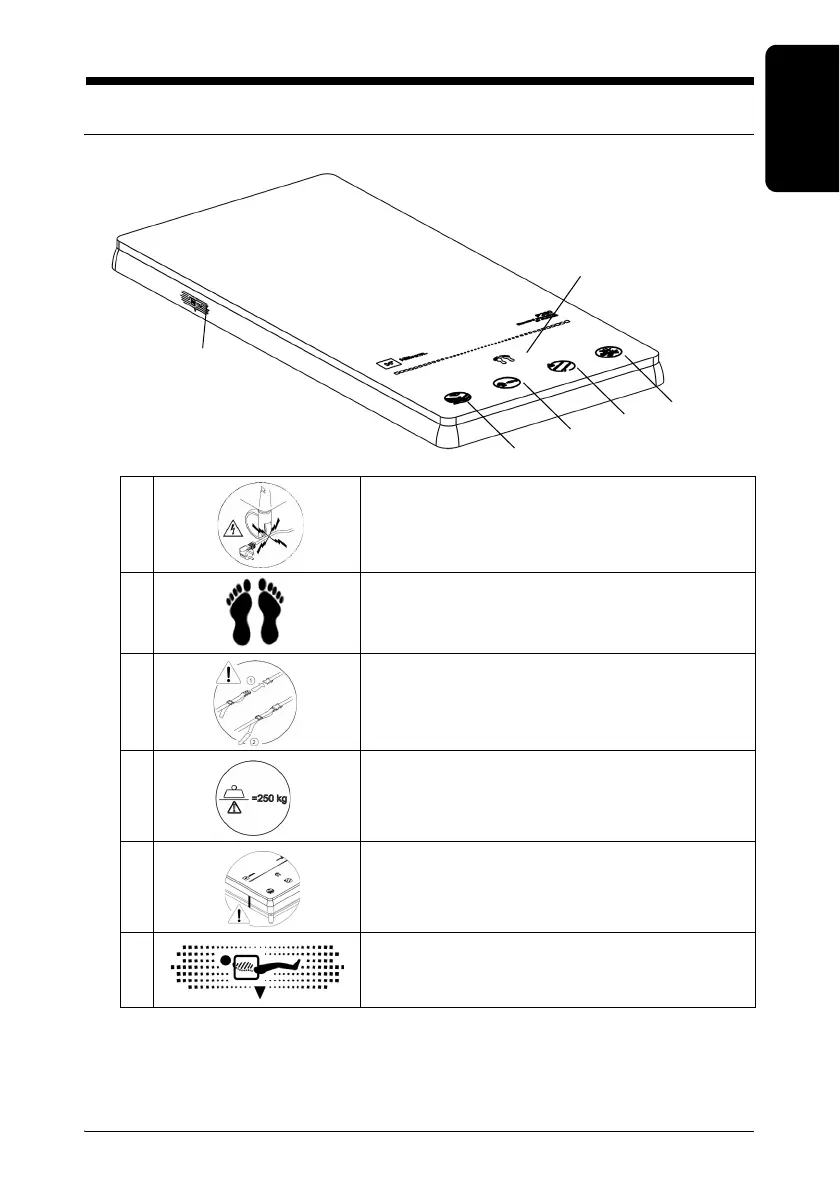
Understanding the Symbols on the Device
Symbols on the Upper Cover
A Do not walk on or run over the power cord
B Foot End
C Adjust the head and foot end straps
DSafe Working Load
E
Attach the mattress using the straps at the head
and foot ends
FX-Ray bag












 To Next Page