213960EN(1) - P290 Mattress Instructions for Use Page 21
Installing
the Patient
Installing the Patient
Before Placing the Patient on the Device
Assess the various risks, including but not limited to the following (incomplete list
containing risks related to reasonably foreseeable misuse):
• Risk of entrapment;
• Potential falls from the bed;
• Patient in state of confusion;
• Patient's learning ability;
• Persons lacking the mental capacity to recognize unsafe actions;
• Unauthorized persons.
Install and use for the first time must be done in accordance with these instructions.
Checking the Compatibility of Bed Frame and Mattresses
The bed / mattress / siderails combination (and in particular their respective
dimensions) must be examined in order to make sure that it meets the requirements
of the IEC 60601-2-52 standard and the ’’Hospital Bed Safety Workgroup’’ guide, and
that the resulting combination does not alter the performance of the devices, their
safety nor their usability.
Installing the Device
1. Unpack the control unit and the mattress.
Take care not to damage them when unpacking.
2. Check that all the components are present and correct and that the power cord is
not damaged.
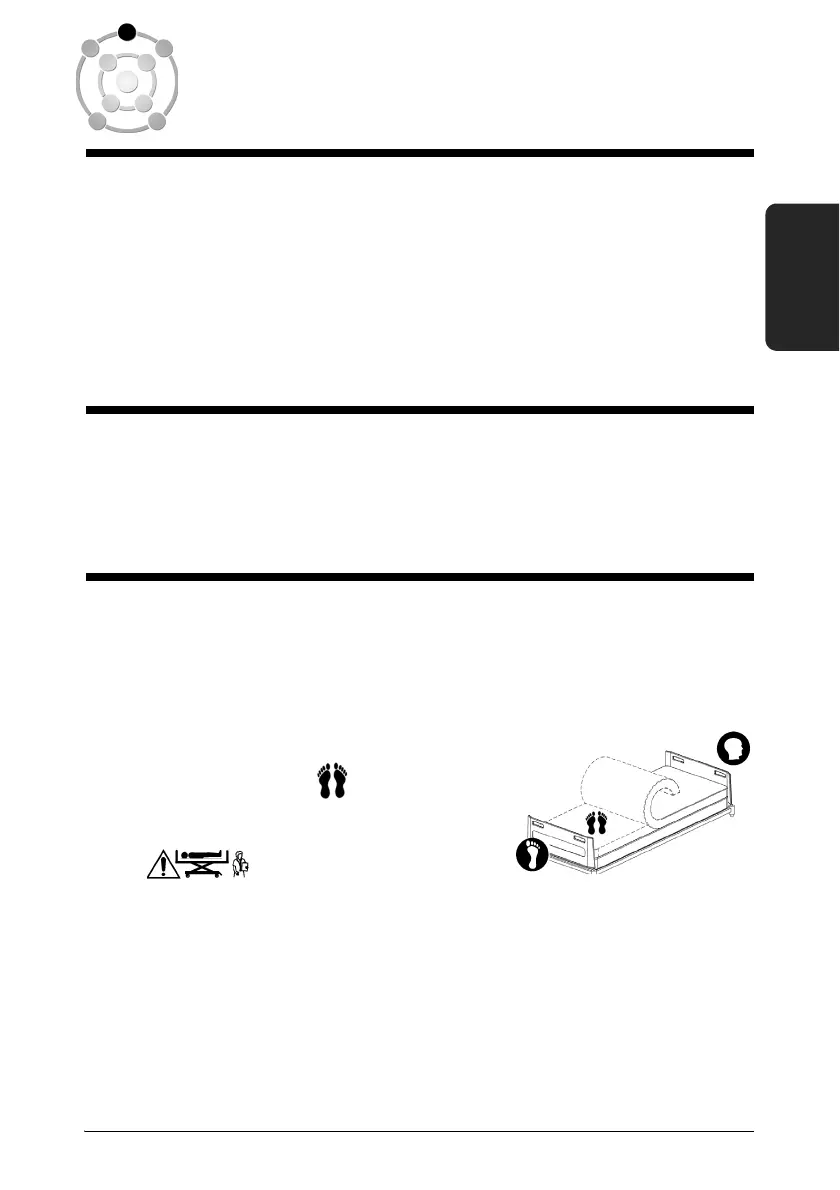
3. Place the rolled up mattress on the top of the
bed and unroll it.
4. Check that the symbol on the cover is at
the foot of the bed.
The P290A1, delivered without foam base, is
designed to be used in combination with a foam mattress below. Take care not to
use it directly on the mattress support platform.
The P290A2mattress, delivered with a foam basis and the P290A3 mattress, are
conceived to be used directly on a sleep deck. Be careful to remove the foam
mattress, if present, before installing.
5. Attach the mattress using the straps at the head and foot ends.












 To Next Page