–
16
–
EN
2C15
HOOKUPS
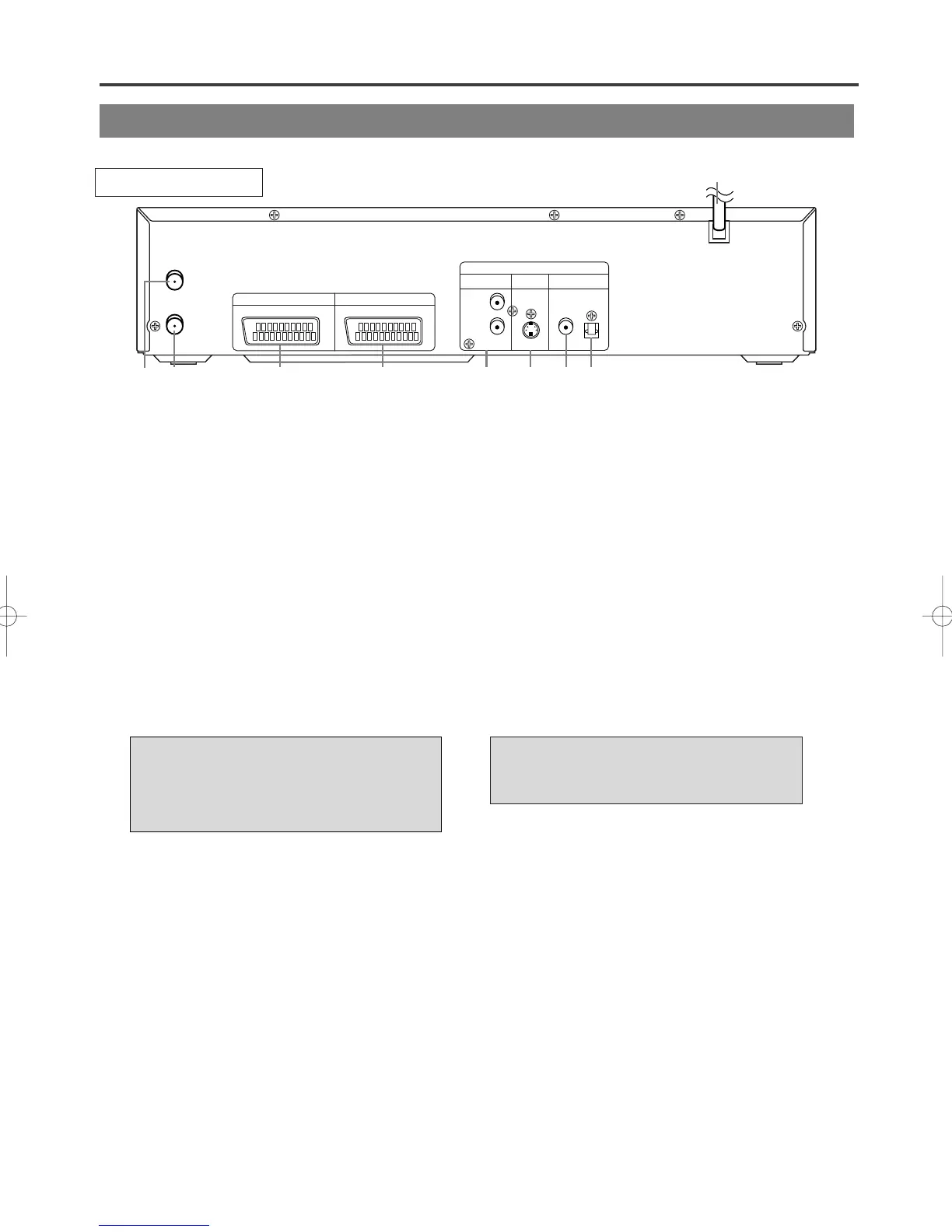
DESCRIPTION-REAR PANEL
“DTS” and “DTS Digital Out” are
trademarks of Digital Theater
Systems, Inc.
Manufactured under license from
Dolby Laboratories. “Dolby” and the
double-D symbol are trademarks of
Dolby Laboratories.
1. AC POWER CORD
Connect to a standard AC outlet to supply power
to the DVD/VCR.
2. AERIAL Jack
Connect your antenna, Cable Box, or Direct
Broadcast System.
3. RF OUT Jack
Use the supplied RF coaxial cable to connect this
jack to the ANTENNA IN Jack on your TV.
4.
AV2 (DECODER)
Socket
Connect 21-Pin scart cable here and to the 21-Pin
scart jack of a decoder.
5. AV1 (TV)
Socket
Connect 21-Pin scart cable here and to the 21-Pin
scart jack of a TV.
6. ANALOG AUDIO OUT Jacks (DVD only)
Connect the supplied audio cables here and to the
Audio In jacks of a television or other audio
equipment.
7. S-VIDEO OUT Jack (DVD only)
Connect an optional S-Video cable here and to
the S-Video In jack of a television.
8.
DIGITAL COAXIAL AUDIO OUT
Jack
(DVD only)
Connect an optional coaxial digital audio cable
here and to the Coaxial Digital Audio In jack of a
decoder or audio receiver.
9.
DIGITAL OPTICAL AUDIO OUT
Jack
(DVD only)
Connect an optional optical digital audio cable
here and to the Optical Digital Audio In jack of a
decoder or audio receiver.



 To Next Page