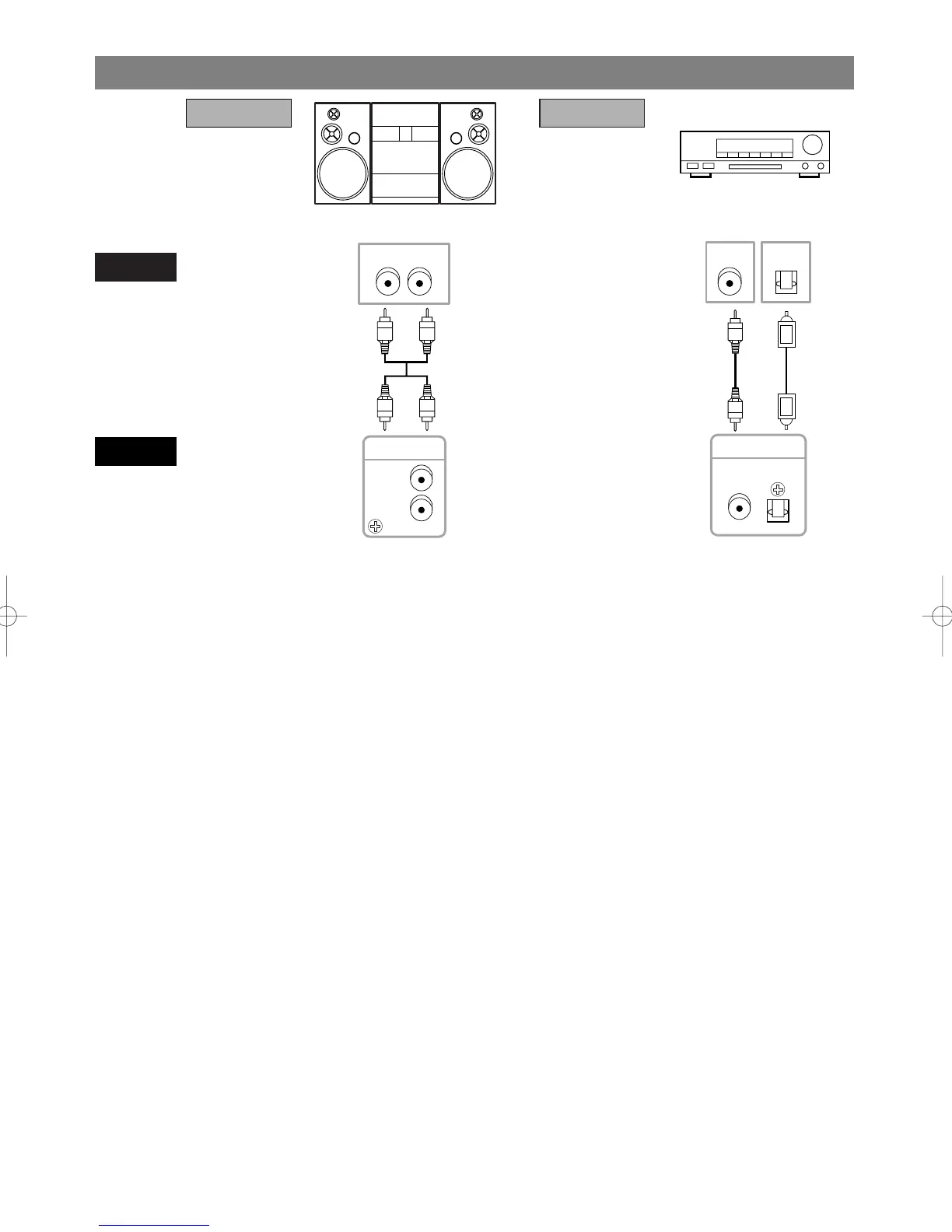
Stereo system
Dolby Digital decoder
or
DTS decoder
CONNECTION TO AN AUDIO SYSTEM
Notes
¡If output Dolby Digital audio, connect to a Dolby Digital decoder, and set Dolby Digital to on for audio out-
put in the setup mode. (See page 45)
¡If output DTS audio, connect to a DTS decoder, and set DTS to ON for audio output in the setup mode. (See
page 45)
¡Unless connected to a Dolby Digital decoder, or a DTS decoder, set Dolby Digital or DTS to off for audio out-
put in the setup mode. Playing a DVD using incorrect settings may generate noise distortion, and may also
damage the speakers. (See page 45)
¡The audio source on a disc in a 5.1 channel Dolby Digital surround format cannot be recorded as digital sound
by an MD or DAT deck.
¡Set Dolby Digital and DTS to off for audio output in the setup mode for method 1 only. Playing a DVD using
incorrect settings may generate noise distortion, and may also damage the speakers. (Refer to page 45 to set ON
for Dolby Digital and DTS)
¡If you use the OPTICAL jack, remove the protective cap.



 To Next Page