Using environment setup
2015.07.0712:45
Com=0
[Stop
]
Login method
Default login ID : 1
Administrator Automatic Deselect
admin
OK
Cancel
Disable
Enable
Startup
M
Manual
HOME
Disable
Enable
Specifies the login user
When "Disable" is selected,
the Print description screen
is immediately displayed
when the power is turned on.
OK
Using environment setup
2015.07.0712:45
Com=0
[Stop
]
OK
Cancel
Disable
Enable
Startup
M
Manual
HOME
Disable
Enable
When "Enable" is selected,
selects the user which logs
in when the power is turned
on.
OK
Login method
Administrator Automatic Deselect
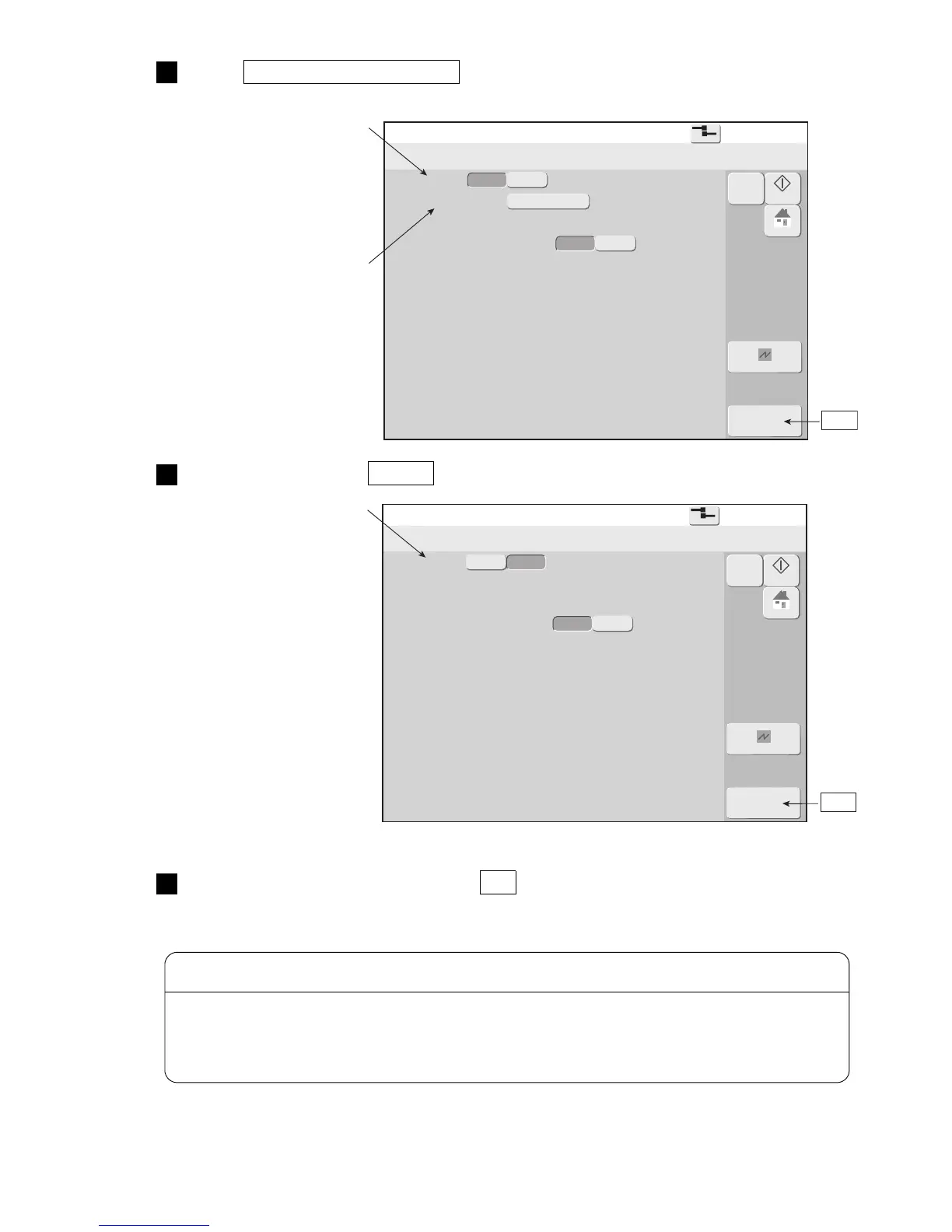
Press Using environment setup .
The Using environment setup screen is displayed.
2
Press Login method Enable .
3
Select the login method and press OK .
Sets whether or not to select a user which logs in when power is turned on.
4
When the Login method is "Enable", the Select login user screen is displayed when the power is turned
on. At this time, if the set password is forgotten, the program will not advance to the print description
screen. Set and manage the password carefully.
If you forget the password, consult your nearest local distributor.
CAUTION



 To Next Page