●Input/output (I/O) specifications 4-20
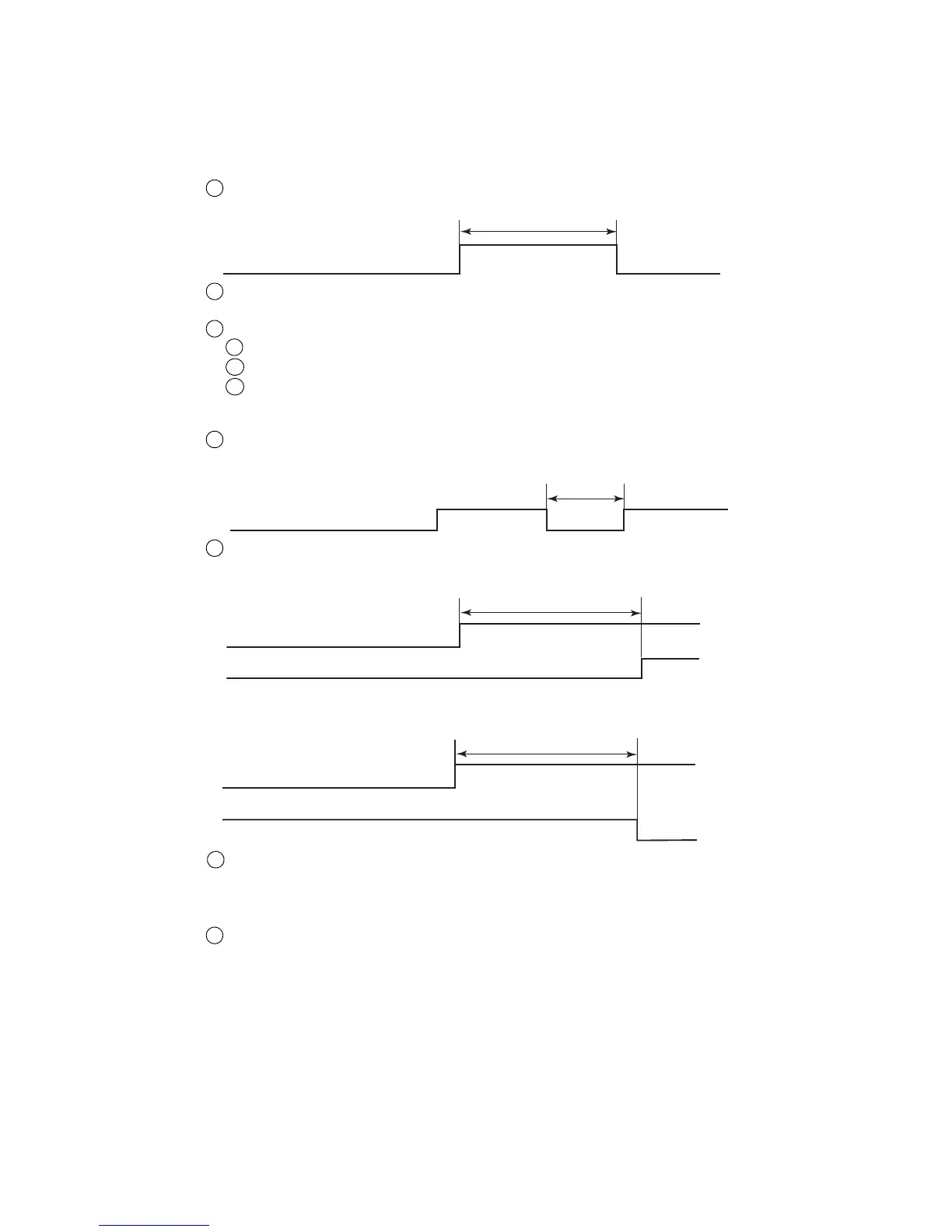
Time until state changes after “Deflection voltage control” is input
t3: Within 3 seconds (Standby→Ready)
2
t2
Deflectionvoltagecontrol
t3
Deflectionvoltagecontrol
Readysignal
4.3.3-3 Remote startup signal input
[Function] This function inputs the same operations as the IJ printer operation state operation keys (“Startup”,
“Shutdown”, “Reset”, “Deflection voltage control”(standby state and Ready to print state
switching)) by external switch or contact signal.
(a) Judgment conditions
(a-1) Remote signals in general
Remote signal ON time t1 shall be 100ms or greater.
Take measures so that multiple remote signals are not turned ON simultaneously.
If multiple signals are turned ON simultaneously, the signals will not be accepted.
Signals cannot be received in the following cases:
When a confirmation window is open
When the Circulation control screen is opened by maintenance function
When the Touch screen coordinate correction screen is opened by auxiliary function
1
2
3
i
ii
iii
(a-2)“Deflection voltage control”
When “Deflection voltage control” is input continuously, a certain OFF period is necessary.
When t2 is 10ms or less, OFF is not detected and the signal is not received.
1
t4: Within 100ms (Ready→Standby)
When “Deflection voltage control” is turned ON, state confirmation is necessary.
If “Deflection voltage control” is turned on by mistake during printing, printing is aborted even in
the process of printing and the IJ printer is switched from the Ready state to the Standby state.
To prevent erroneous printing, input this signal when the printer is in a not printing state.
When the Product speed matching function is used, and when the print description is changed when
the line is stopped during printing, etc., the IJ printer will enter the Standby state by this signal and
the print description can be changed.
3
4



 To Next Page