EasyManua.ls Logo

Hitachi VIV-E553LE - Camera Section Adjustment

Hitachi VIV-E553LE
118 pages
Print Icon
To Next Page IconTo Next Page
To Previous Page IconTo Previous Page
Loading...
2.
CAMERA
SECTION
ADJUSTMENT
2.1
Test
Equipment
Necessary
for
Adjustment
Oscilloscope
(dual
trace)
[&
Vectorscope]
Digital
Voltmeter
(DVM)
Color
Video
Monitor
Adjustment
Floppy
Disk
Personal
Computer
Personal
Computer
9-pin
or
25-pin
(RS232C)
Cable
DSP-R
Jig
DSP
AV
Output
Jig
LCD
Adjustment
Jig
Light
Box
(3100°K)
Light
Balancing
Filter
C12
DC
Power
Supply
(DC7V/3A)
DC
Power
Supply
(DC5V/1A)
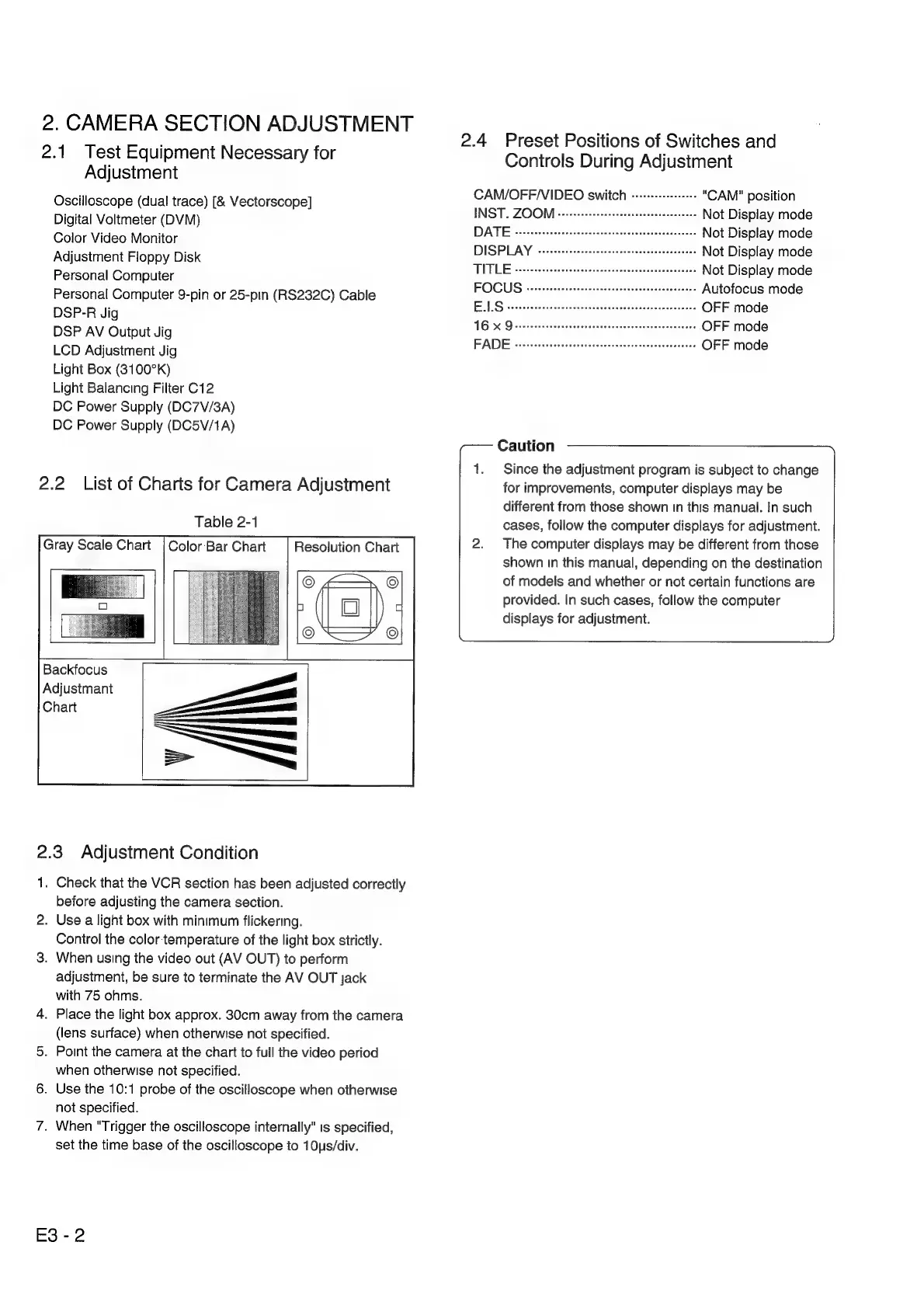
2.2
List
of
Charts
for
Camera
Adjustment
Table
2-1
Gray
Scale
Chart
|
Color
Bar
Chart
Resolution
Chart
Backfocus
Adjustmant
Chart
2.3
Adjustment
Condition
1.
Check
that
the
VCR
section
has
been
adjusted
correctly
before
adjusting
the
camera
section.
2.
Use
a
light
box
with
minimum
flickering.
Control
the
color
temperature
of
the
light
box
strictly.
3.
When
using
the
video
out
(AV
OUT)
to
perform
adjustment,
be
sure
to
terminate
the
AV
OUT
jack
with
75
ohms.
4.
Place
the
light
box
approx.
30cm
away
from
the
camera
(lens
surface)
when
otherwise
not
specified.
5.
Point
the
camera
at
the
chart
to
full
the
video
period
when
otherwise
not
specified.
6.
Use
the
10:1
probe
of
the
oscilloscope
when
otherwise
not
specified.
7.
When
"Trigger
the
oscilloscope
internally"
is
specified,
set
the
time
base
of
the
oscilloscope
to
10us/div.
E3-2
2.4
Preset
Positions
of
Switches
and
Controls
During
Adjustment
CAM/OFF/VIDEO
switch
«:-++--+-+-+++
"CAM"
position
INST.
ZOOM
ceesesceeesseseetssetereaseeeseeee
Not
Display
mode
DATE
csitivactdeccttacndtaniinn!
Not
Display
mode
DISPLAY
-sccsssessescecsecssessecseesesenseeetens
Not
Display
mode
TUT
DI
Bseee
ass
eceeetosticena
dings
Gaviedecvacienas
Not
Display
mode
FOCUS
teh
Sictarintimaciadacnnits
Autofocus
mode
Be
[Sosa
tert
cece
ee
hh
eee
a
OFF
mode
4
63h
na
let
enattiaes
OFF
mode
FADE
tistriesiovestfsrisesteecctertecentiechect:
OFF
mode
Caution
1.
Since
the
adjustment
program
is
subject
to
change
for
improvements,
computer
displays
may
be
different
from
those
shown
in
this
manual.
In
such
cases,
follow
the
computer
displays
for
adjustment.
2.
The
computer
displays
may
be
different
from
those
shown
in
this
manual,
depending
on
the
destination
of
models
and
whether
or
not
certain
functions
are
provided.
In
such
cases,
follow
the
computer
displays
for
adjustment.

Related product manuals