EasyManua.ls Logo

Hitachi VIV-E553LE - Zoom Trace Adjustment; AF Noise Level Adjustment; Auto Focus Adjustment

Hitachi VIV-E553LE
118 pages
Print Icon
To Next Page IconTo Next Page
To Previous Page IconTo Previous Page
Loading...
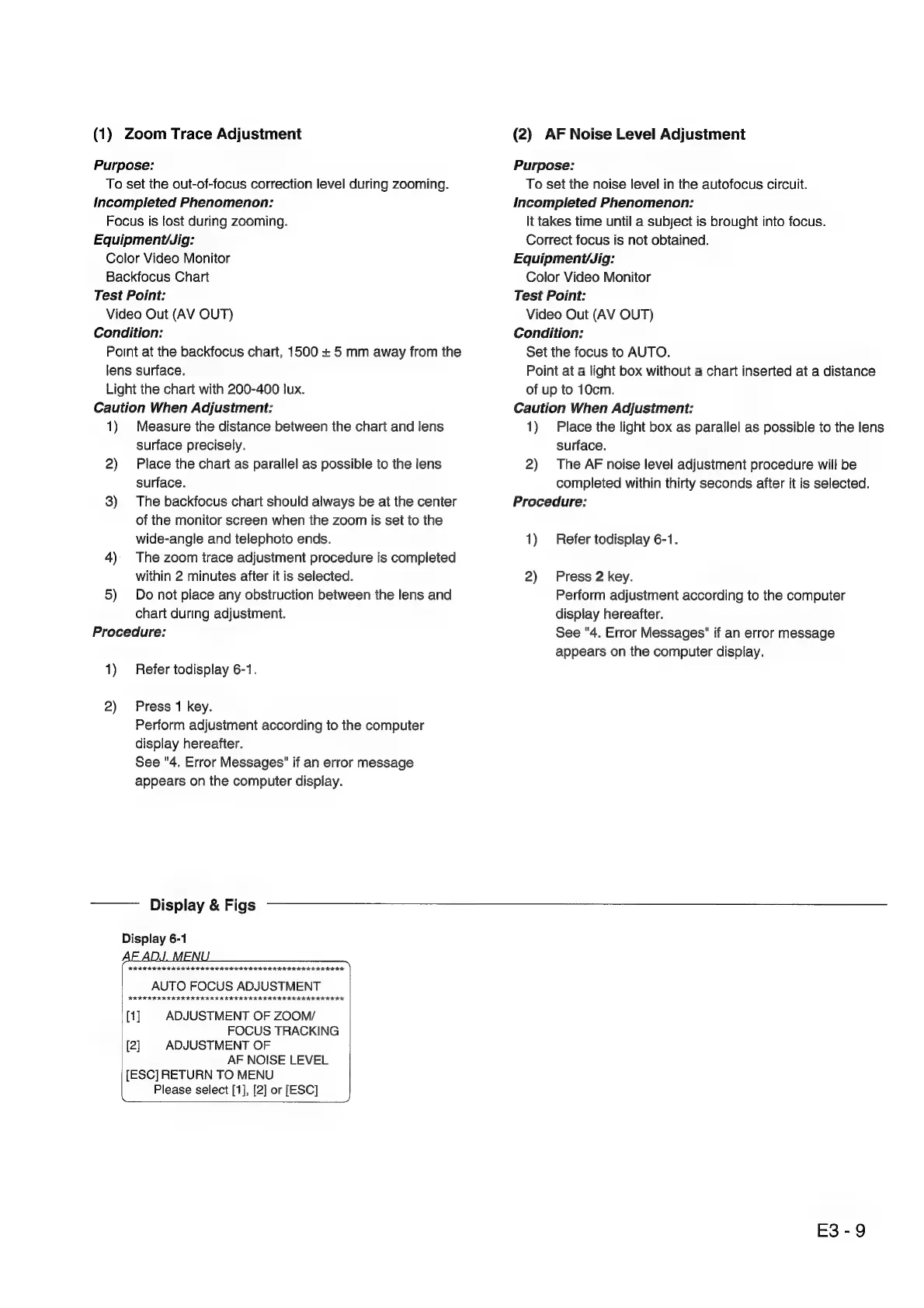
(1)
Zoom
Trace
Adjustment
Purpose:
To
set
the
out-of-focus
correction
level
during
zooming.
Incompleted
Phenomenon:
Focus
is
lost
during
zooming.
Equipment/Jig:
Color
Video
Monitor
Backfocus
Chart
Test
Point:
Video
Out
(AV
OUT)
Condition:
Point
at
the
backfocus
chart,
1500
+
5
mm
away
from
the
lens
surface.
Light
the
chart
with
200-400
lux.
Caution
When
Adjustment:
1)
Measure
the
distance
between
the
chart
and
lens
surface
precisely.
2)
Place
the
chart
as
parallel
as
possible
to
the
lens
surface.
3)
The
backfocus
chart
should
always
be
at
the
center
of
the
monitor
screen
when
the
zoom
is
set
to
the
wide-angle
and
telephoto
ends.
4)
The
zoom
trace
adjustment
procedure
is
completed
within
2
minutes
after
it
is
selected.
5)
Do
not
place
any
obstruction
between
the
lens
and
chart
during
adjustment.
Procedure:
1)
Refer
todisplay
6-1.
2)
Press
1
key.
Perform
adjustment
according
to
the
computer
display
hereafter.
See
"4.
Error
Messages"
if
an
error
message
appears
on
the
computer
display.
Display
&
Figs
Display
6-1
FIFI
II
IKI
K
III
IIR
IRIS
IIIA
IIIA IIIS
IAI
AIK.
AUTO
FOCUS
ADJUSTMENT
[1]
ADJUSTMENT
OF
ZOOM/
FOCUS
TRACKING
[2]
ADJUSTMENT
OF
AF
NOISE
LEVEL
[ESC]
RETURN
TO
MENU
Please
select
[1],
[2]
or
[ESC]
(2)
AF
Noise
Level
Adjustment
Purpose:
To
set
the
noise
level
in
the
autofocus
circuit.
Incompleted
Phenomenon:
lt
takes
time
until
a
subject
is
brought
into
focus.
Correct
focus
is
not
obtained.
Equipment/Jig:
Color
Video
Monitor
Test
Point:
Video
Out
(AV
OUT)
Condition:
Set
the
focus
to
AUTO.
Point
at
a
light
box
without
a
chart
inserted
at
a
distance
of
up
to
10cm.
Caution
When
Adjustment:
1)
Place
the
light
box
as
parallel
as
possible
to
the
lens
surface.
2)
The
AF
noise
level
adjustment
procedure
will
be
completed
within
thirty
seconds
after
it
is
selected.
Procedure:
1)
Refer
todisplay
6-1.
2)
Press
2
key.
Perform
adjustment
according
to
the
computer
display
hereafter.
See
"4.
Error
Messages"
if
an
error
message
appears
on
the
computer
display.
E3-9

Related product manuals