OPERATING THE ENGINE
3-4
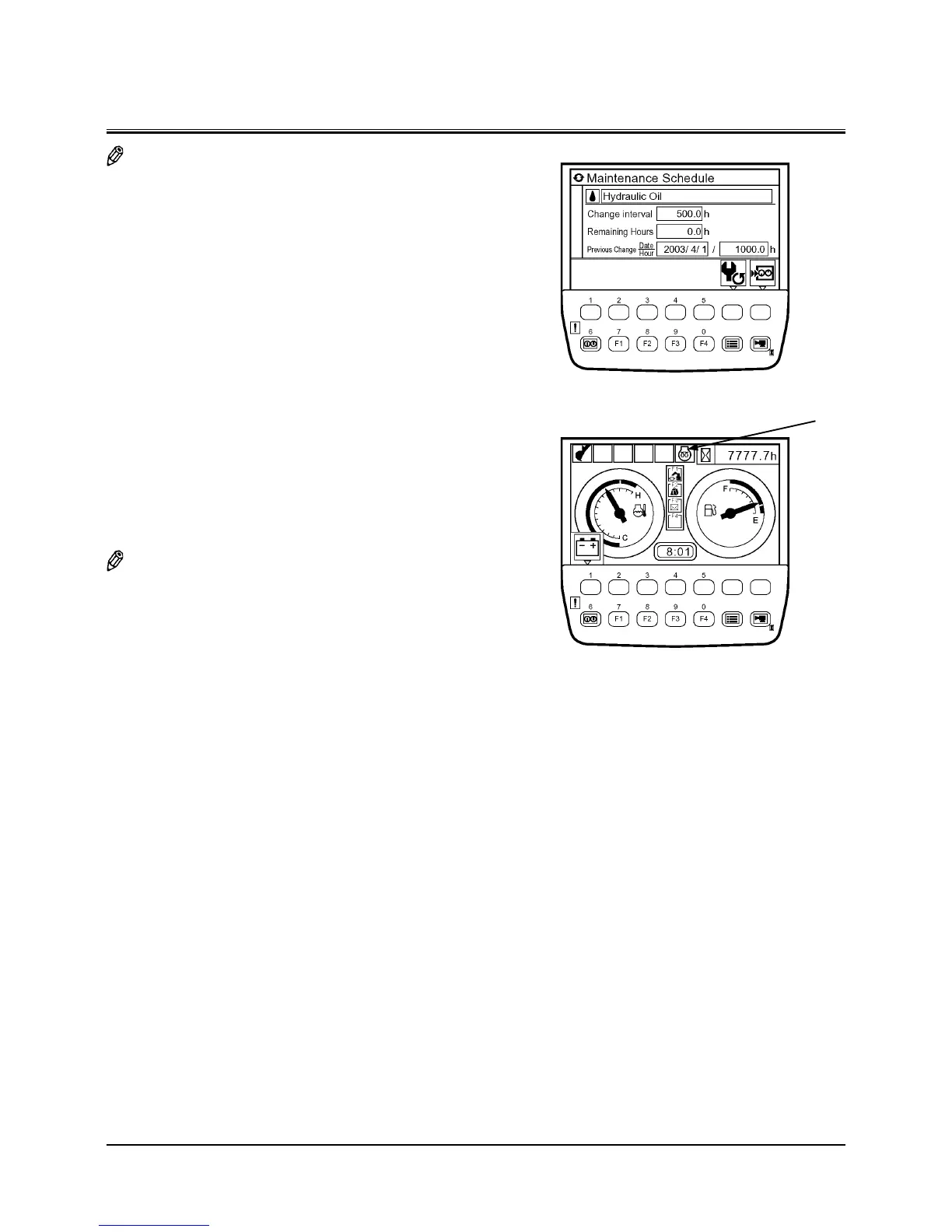
NOTE: When the maintenance information display is ON with
the maintenance setting, the scheduled maintenance
screen for the item whose change interval has expired
displays for three to ten seconds. Then, the basic screen
displays.
7. The basic screen will be displayed on the monitor. Check
that preheat indicator (4) is OFF at this time.
8. Turn key switch (2) to start the engine.
IMPORTANT: Prevent the starter damage.
Never operate the starter motor for more
than 10 seconds at a time. If the engine fails
to start, return the key switch to OFF. Wait
for more than 30 seconds, then try again.
After a false start, do not turn the key switch
until the engine stops or the starter may be
damaged.
9. Release key switch (2) immediately after the engine has
started. It will return to ON position.
NOTE: For a while after the engine starts, the automatic heat-
ing system operates so that even though the engine
control dial is set in the slow idle position, the engine
speed will temporarily increase.
M1U1-03-001
Basic Screen
4
T1V5-05-01-170


 To Next Page
 Loading...