OPERATING THE MACHINE
5-9
T1V1-05-01-008
T1V5-05-01-121
T1V5-05-01-109
1
3
4
5
6
7
6
8
9
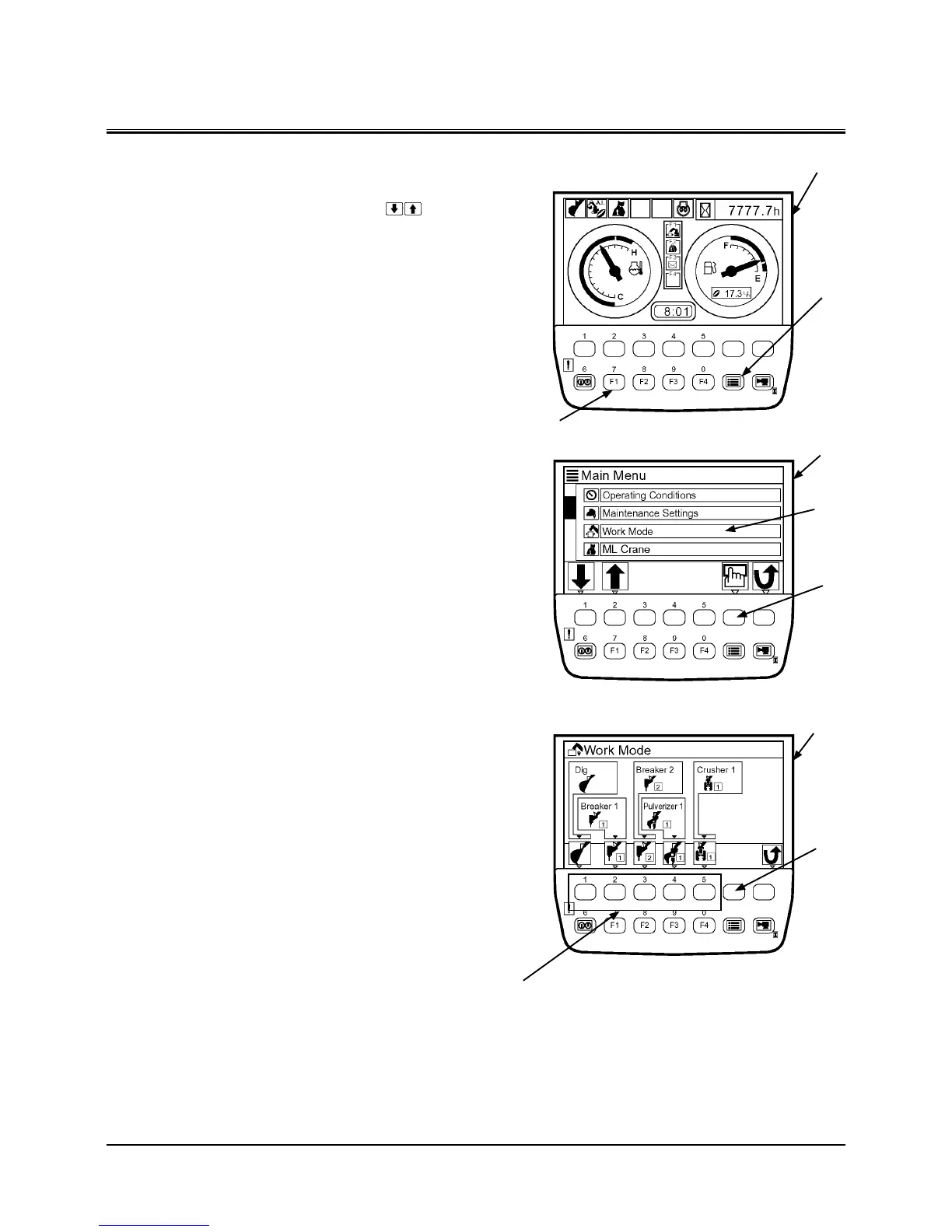
WORK MODE SELECT
Press menu key (3) on basic screen (1) to display main menu
screen (4). Select work mode (5) by operating key on
menu screen (4). Then, press determination key (6). Select the
work mode matching the work to be done by pressing bottom
key (8) on work mode selection screen (7). Then, press determi-
nation key (6).
Selecting Work Mode By Pressing Key F1
Press Key F1 (9) on basic screen (1). Then, work mode selec-
tion screen (7) is displayed. Set the work mode by following
procedure mentioned above.

 To Next Page
 Loading...