OPERATOR'S STATION
1-19
CLOCK SETTING
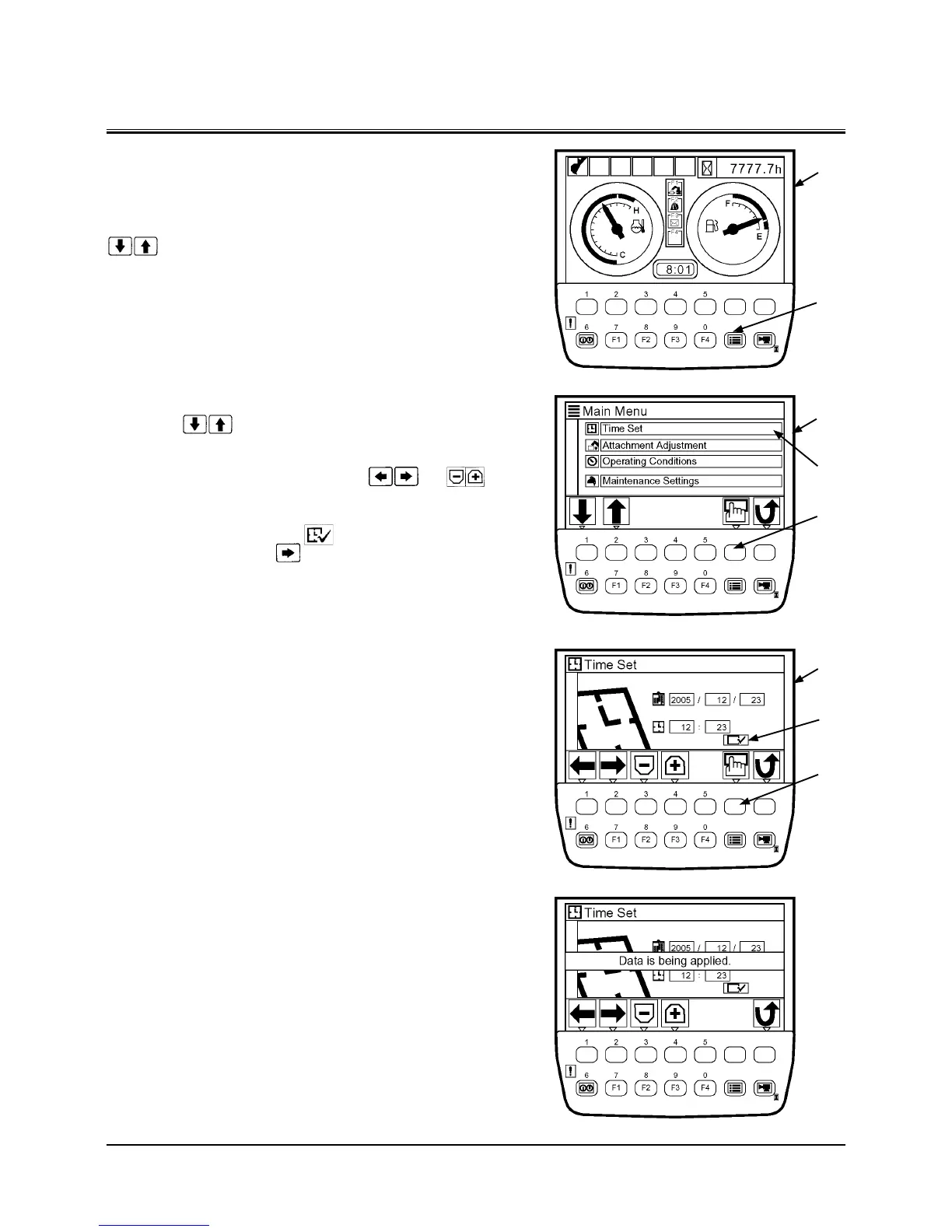
Press menu key (2) on basic screen (1) to display main menu
screen (3).
Select time set menu (4) by pressing the key located under
keys on icon display area and adjust the clock set.
Time Adjustment
After selecting time set menu (4) by pressing the key locat-
ed under
keys on icon display area, press determi-
nation key (5).
1. While pressing the key located under
and
keys on icon display area on time setting screen (6), select
the figures for Year, Month, Day, and Time.
2. After moving the cursor to
position (7) by pressing
the key located under key, press determination key
(5) to define the setting.
1
2
5
3
4
5
6
7
T1V1-05-01-123
T1V5-05-01-019
T1V5-05-01-021
T1V5-05-01-022


 To Next Page
 Loading...