Document No: C-41-02490-9
23
3.14.2 Playing log data
Follow the steps below for playing log data.
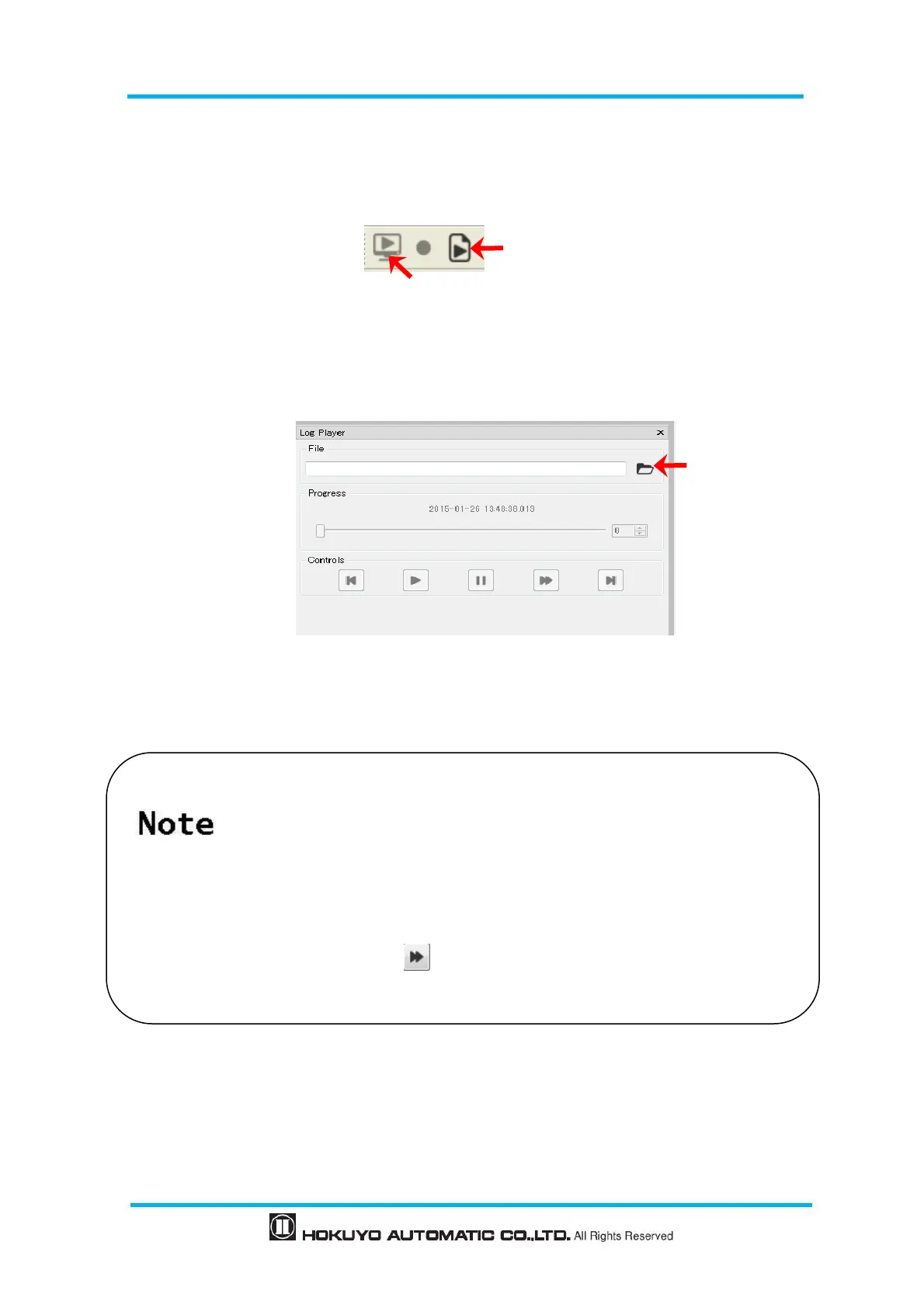
① Click play button as shown in figure 3-15.
(Cannot play the log data until measurement display button is OFF)
Figure 3-15 Play log data button
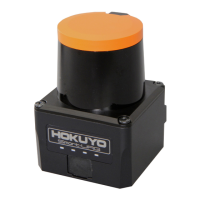
② Log player is displayed as shown in figure 3-16.
Click “Open” and select the log data file which you want play.
Figure 3-16 Log player windows
③ Use control buttons as required as shown in figure 3-16.
In case you want to confirm the detection judgment of the area when playing
log data, it is necessary to open the original project file used while recording
the log data. The area displayed for the current project might differ from the
original project.
Play log data in the Monitor mode. If you play log data in Edit mode, output
status will not be displayed.
By using this icon automatically takes/moves up to the position where
output changes.
Measurement display [Ctrl+0]


 To Next Page