Document No: C-41-02490-9
25
3.16 Laser emission skip function
When this is function is activated, it reduces the probability of light interference. There are two types of
laser emission skip function.
Scan skip function
Laser pulse skip function
3.16.1 Scan skip function
When scan skip function is activated, it stops laser emission of the set scan number during rotation.
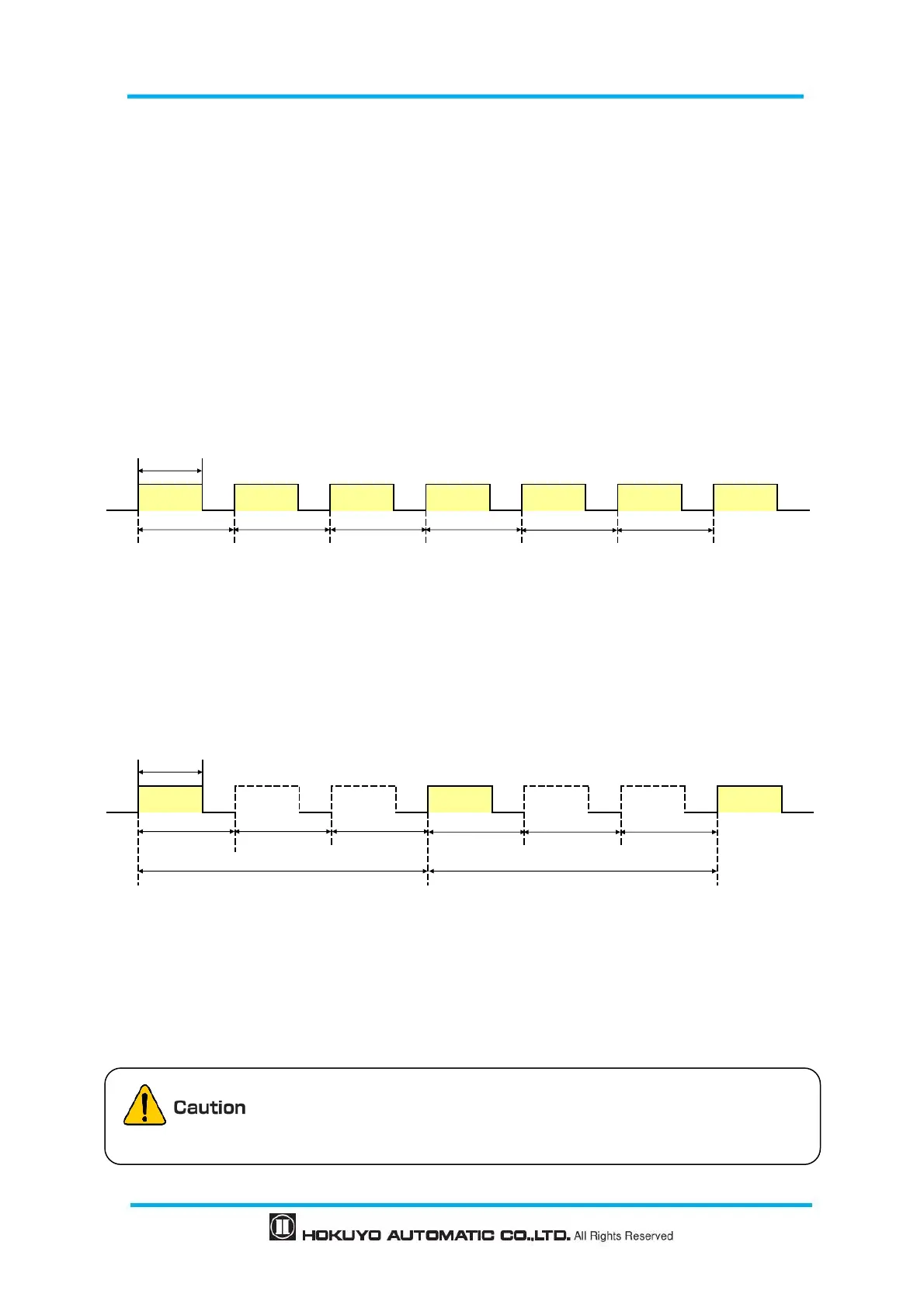
Through sensor setting, it is possible to stop laser emission from 0 scan to 5 scan. Figure 3-17 shows the
schematic diagram, when scan skip count “0”is set. When “0” is set, scan skip function will become inactive
and performs normal operation.
Figure 3-17 Schematic diagram when scan skip count “0” is set
Figure 3-18 shows the schematic diagram, when scan skip count “2” is set. When “2” is set, stops laser
emission of 2 scans. During scan skip, the output state will remain in the same state as in laser emission
period.
Figure 3-18 Schematic diagram when scan skip count “2” is set
The maximum response time can be calculated “66ms +(25ms × Scan skip count)”. In the case of 2
scans skip, calculation will be “66ms + (25ms × 2) = 116ms”
When scan skip function is activated, ON/OFF delay function will become
inactive and operates with default setting (1 scan (66ms))
*In Area Designer, ON delay/OFF delay display will not be changed.
*The yellow part indicates that laser is ON
*The yellow part indicates that laser is ON


 To Next Page